Yealink YMCS How to Claim Phone Another Reseller SR

Modified on Fri, Feb 9, 2024 at 4:32 PM

log in to 2/9/2024 SR


Yealink Support Password

https://sso.yealink.com/login
hello@sonictel.com
Newstart1!


Yealink YMCS -- RPS Password

https://dm.yealink.com/
lance@sonictel.com

Newstart1!


How to remove MAC from RPS
Last Update Time:2021-07-01
Pageviews:906
【General Description】:

MAC has been added to other enterprise, need to release it.


【Phenomenon】:

【1】:"The MAC has been added to other enterprise"


【Relevant Error Report】:

Error Report
N/A

【Troubleshooting Steps】:

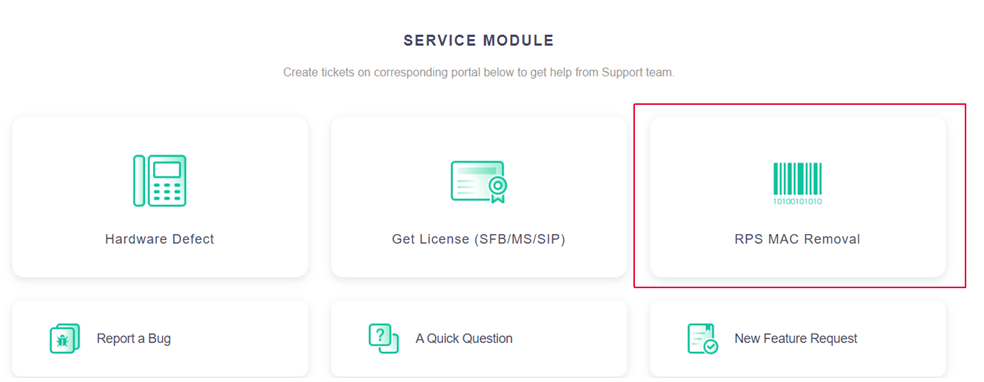
【1】:Go to https://ticket.yealink.com/, please register an account if you don’t have one.

【2】:There is a “RPS MAC Removal” portal.

image.png

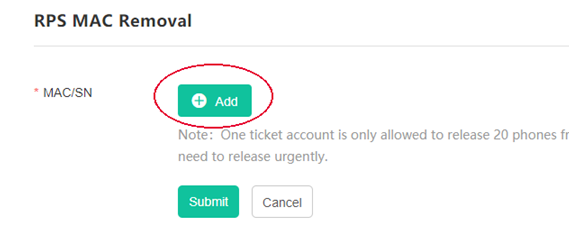
【3】:Click “Add”.

image.png

【4】:Type in MAC and SN of the device, click “OK”, then click “Submit”.

【5】:Fill in your RPS username/password, click “OK”.

(note: this would require you to have at least one RPS account, if you don’t have one, please ask your local distributor for help with the removal.)

Was this article helpful?

That’s Great!

Thank you for your feedback

Sorry! We couldn't be helpful

Thank you for your feedback

Let us know how can we improve this article!

Select at least one of the reasons
CAPTCHA verification is required.

Feedback sent

We appreciate your effort and will try to fix the article