Below is a step by step guide on how to add a Yealink device to the Yealink Management Cloud Service (YMCS)
- Log into the Yealink management portal: https://dm.yealink.com/
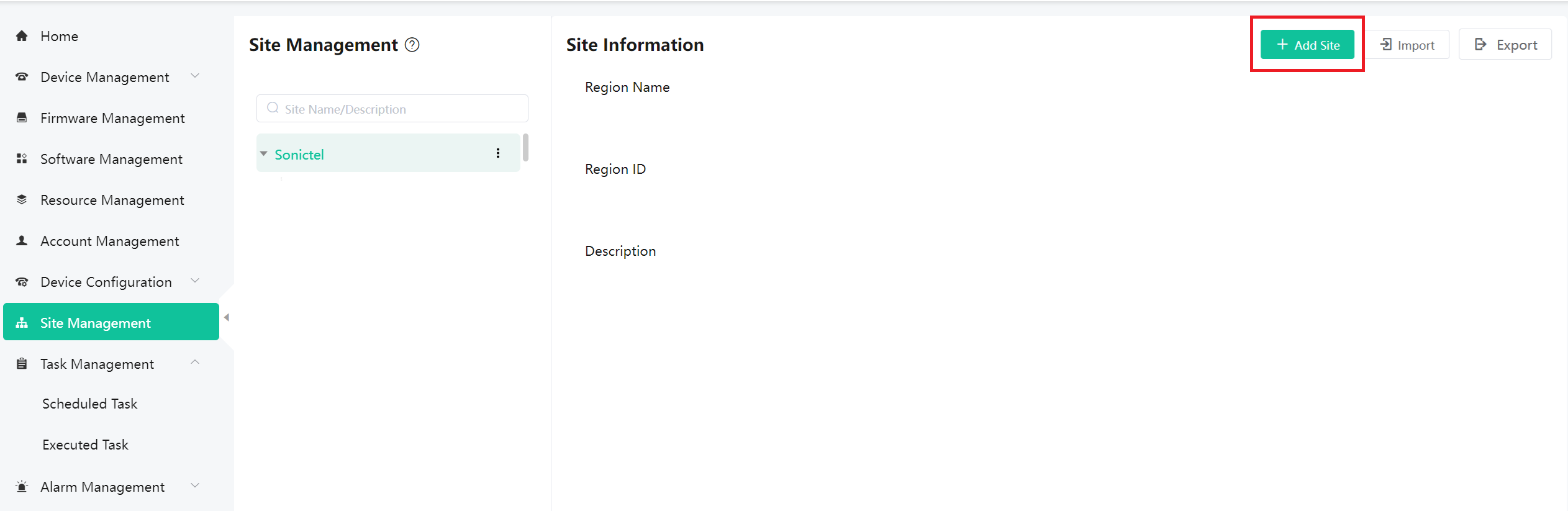
- Under 'Site Management', select '+ Add Site'. See Example 1 below.
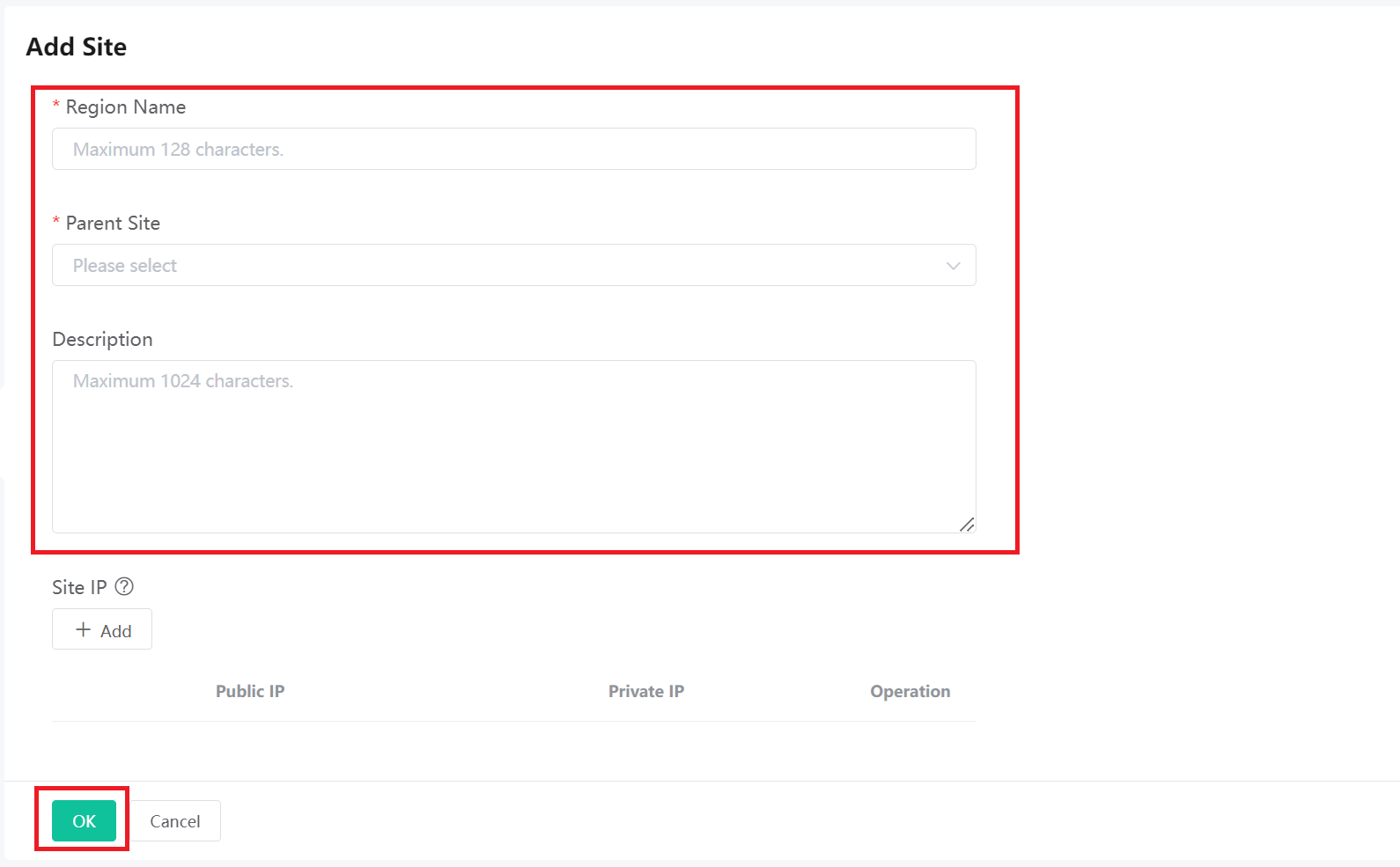
- You will be brought to the 'Add Site' screen, enter the following information: See Example 2 below.
- Region Name: Enter the Customers Name
- Parent Site: Select 'Sonictel'
- Description: Enter the Customers Name
- Click 'OK' at the bottom of the page
- Your new site has been added
EXAMPLE 1:
EXAMPLE 2:
Was this article helpful?
That’s Great!
Thank you for your feedback
Sorry! We couldn't be helpful
Thank you for your feedback
Feedback sent
We appreciate your effort and will try to fix the article