Create your XML file with your customers names & phone Numbers
Then upload to the Portal ( as seen below )
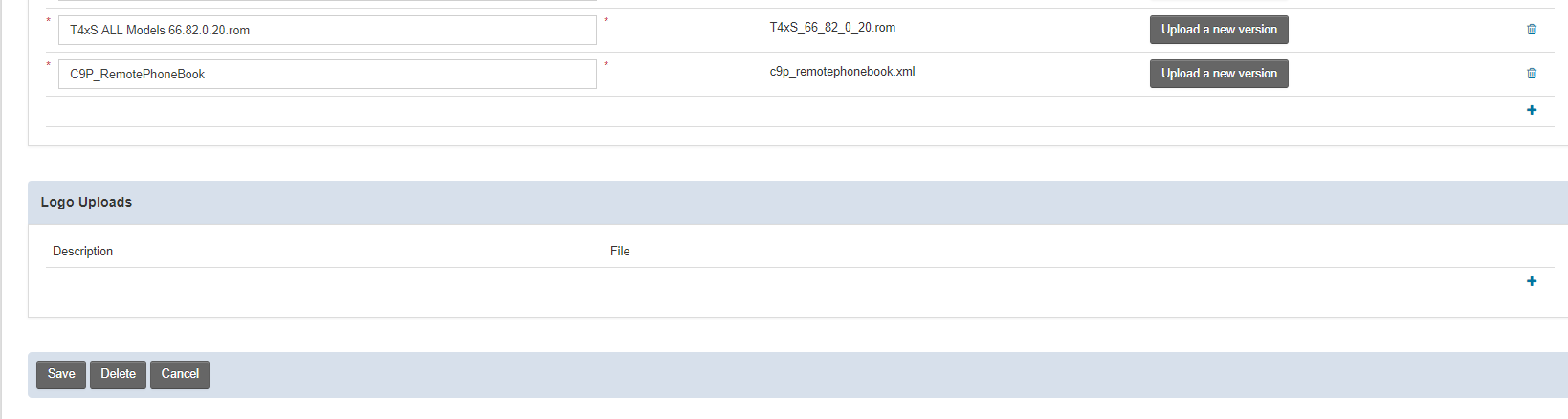
Add these two lines of code to your phones template
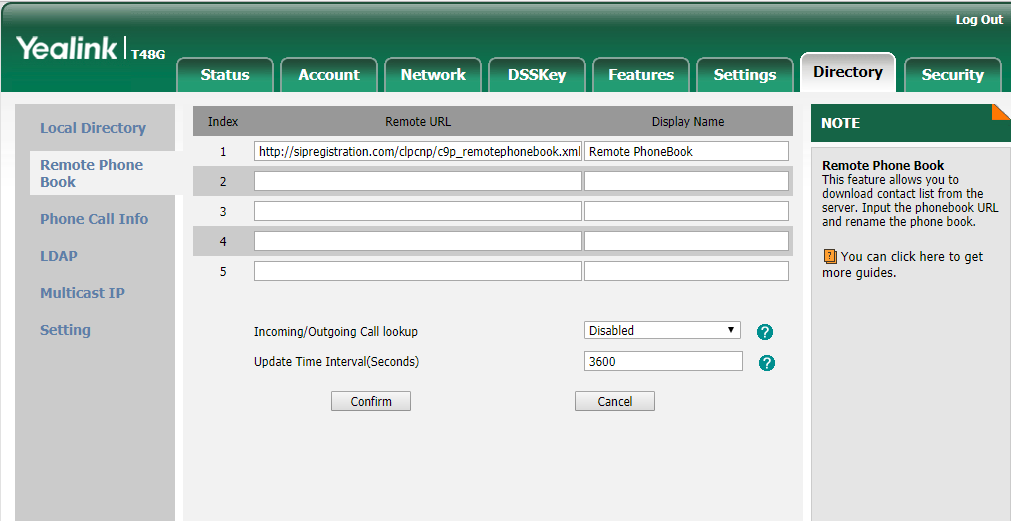
remote_phonebook.data.1.url = http://sipregistration.com/clpcnp/c9p_remotephonebook.xml ( the last part of this line, the xml file name, should be unique to your customer )
remote_phonebook.data.1.name = Remote PhoneBook
Below is what the phones web gui will show you after autoprovision at >> Directory >> Remote PhoneBook
======================================
ATTACHED IS THE SAMPLE XML FILE but below is what the inside of the xml file look like
You can create this is notepad and SAVE AS XML ( even if the file extension isn't in the pull down box, just add the .xml at the end
=======================================
<YealinkIPPhoneDirectory>
<DirectoryEntry>
<Name>Test Name</Name>
<Telephone>2125551212</Telephone>
</DirectoryEntry>
<DirectoryEntry>
<Name>Test Name</Name>
<Telephone>3106</Telephone>
<Telephone>9145551212</Telephone>
</DirectoryEntry>
<DirectoryEntry>
<Name>Test Name</Name>
<Telephone>3102</Telephone>
<Telephone>8455551212</Telephone>
</DirectoryEntry>
</YealinkIPPhoneDirectory>
=======================================
Was this article helpful?
That’s Great!
Thank you for your feedback
Sorry! We couldn't be helpful
Thank you for your feedback
Feedback sent
We appreciate your effort and will try to fix the article