We have a Cloud Based SYSLOG server
U: hello@cloud9phone.com
P: Ch19
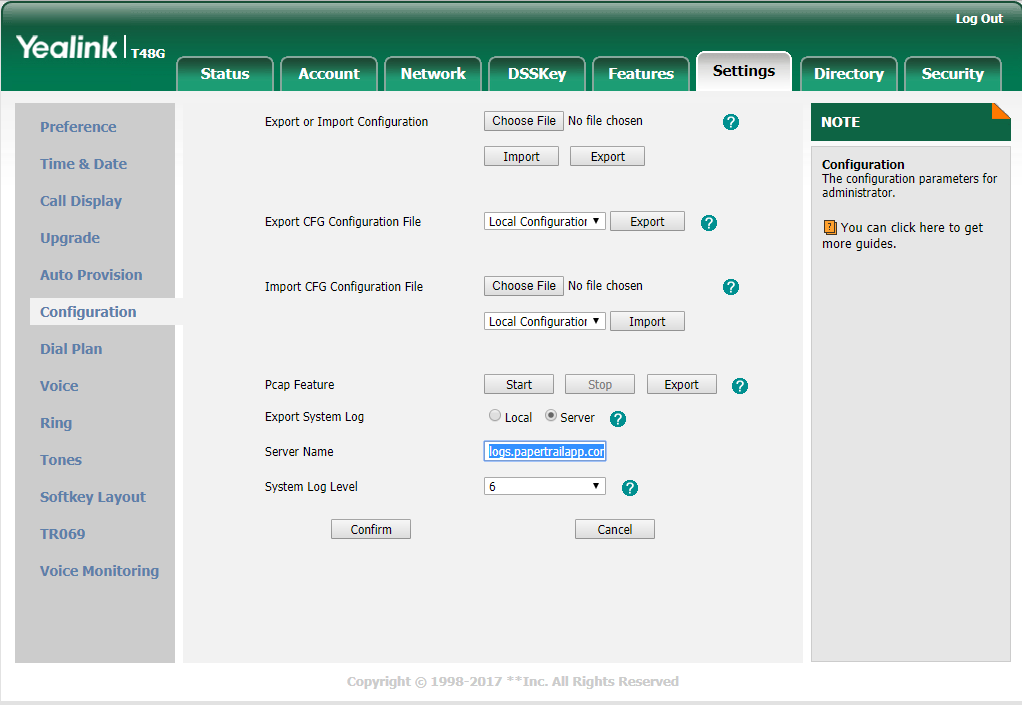
YEALINK WEB GUI
You will log onto the web gui of the Yealink
Go to >> Settings >> Configuration
Click << SERVER >
Enter address: logs.papertrailapp.com
Change the Log Level from 3 to 6
IMPORTANT, next you must go into our papertrail account and ENTER THE WAN IP Address that the phone will be using ( external IP address ) so it knows to log to our account, see below
When finished change log level back to 3
Change back to local
click confirm
papertrailapp.com
We have a Cloud Based SYSLOG server
U: hello@cloud9phone.com
P: Ch19
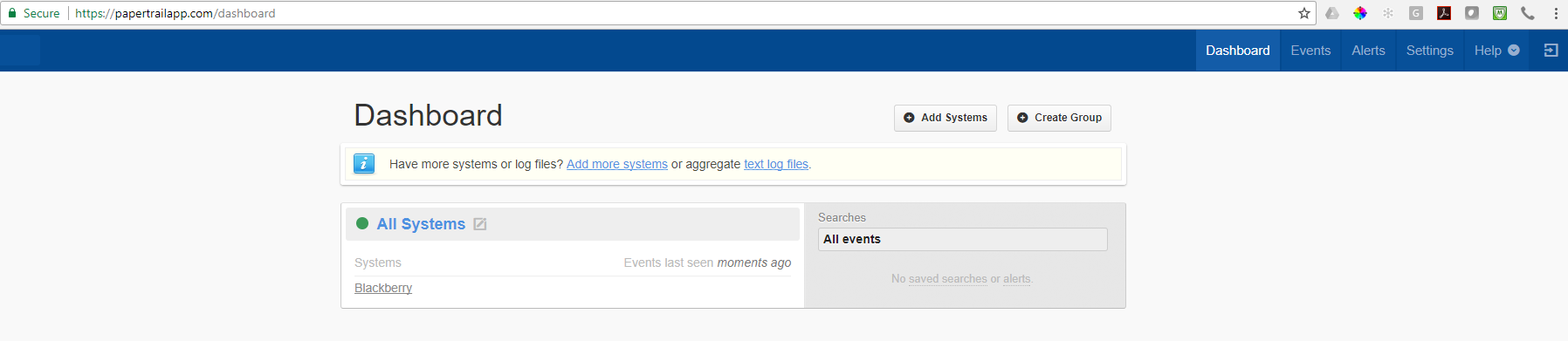
Go to < DASHBOARD >
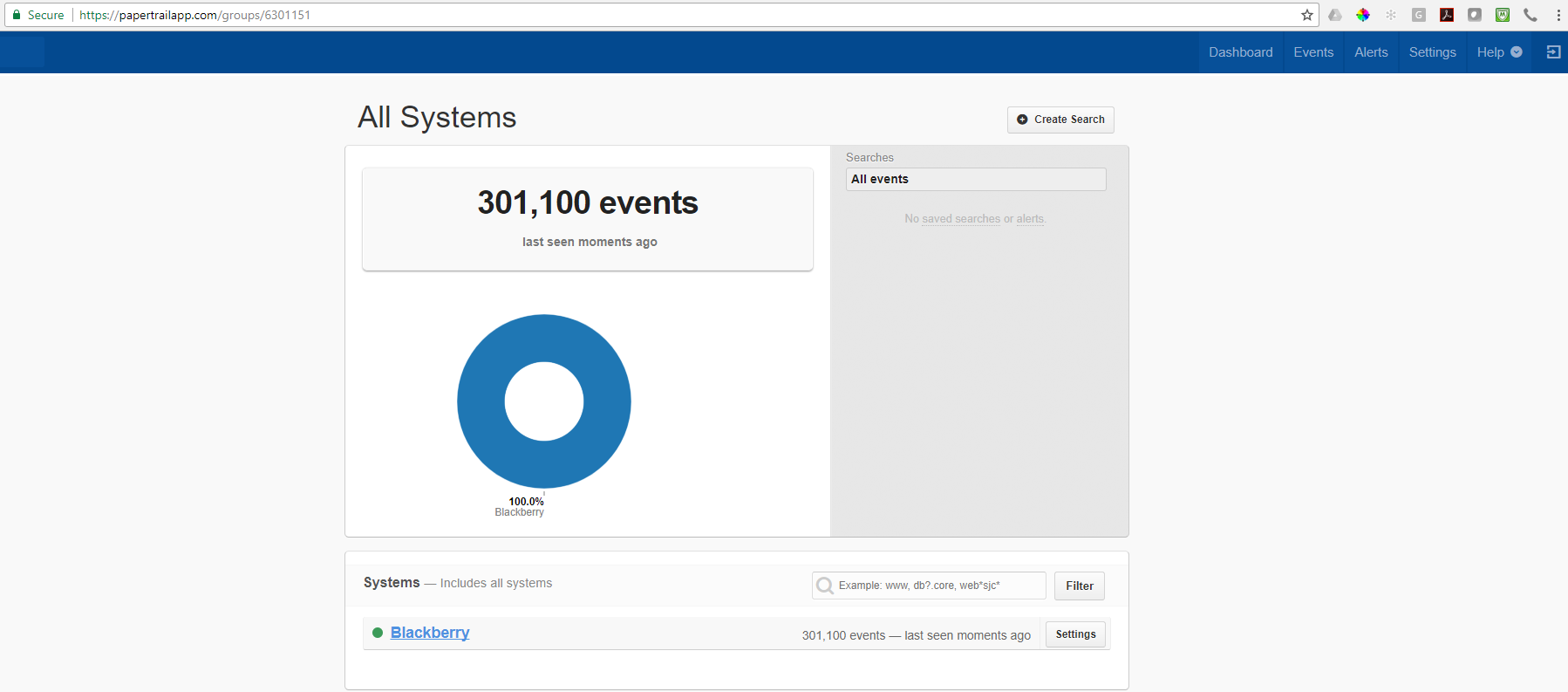
Click All Systems
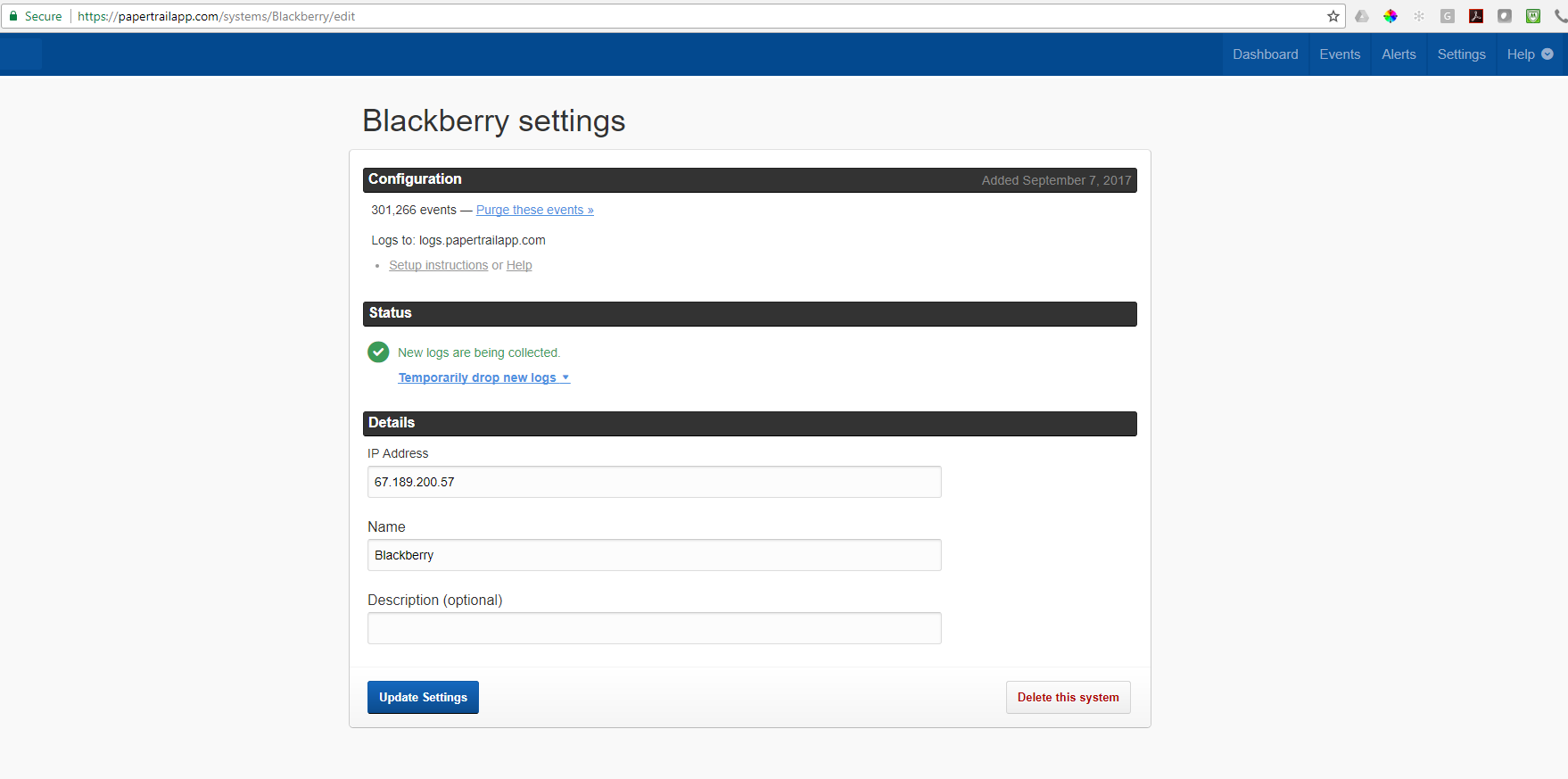
Click << SETTING >> to the Right of Blackberry
Update the customer WAN IP Address that will be sending the logs
Click <UPDATE SETTINGS >
Should start to receive the log files in real time
Was this article helpful?
That’s Great!
Thank you for your feedback
Sorry! We couldn't be helpful
Thank you for your feedback
Feedback sent
We appreciate your effort and will try to fix the article