Syslog phones using papertrail App
U: hello@cloud9phone.com
P Ch19
ADD DEVICE TO PAPERTRAIL
- Login to https://papertrailapp.com
- Click Add Systems

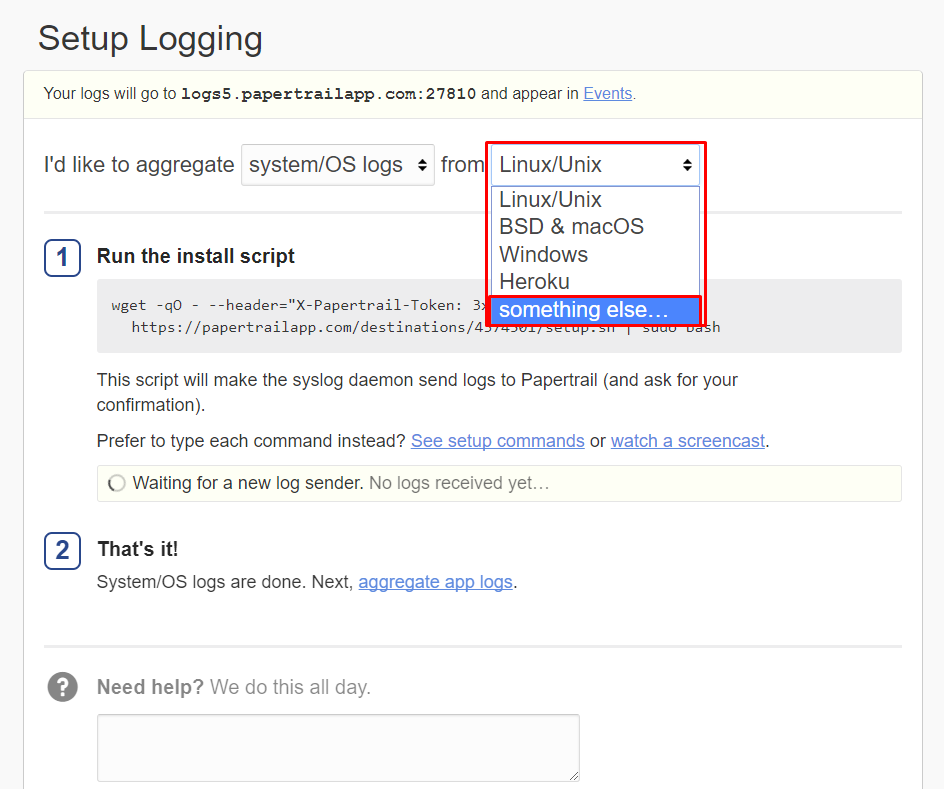
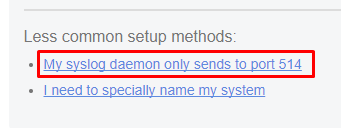
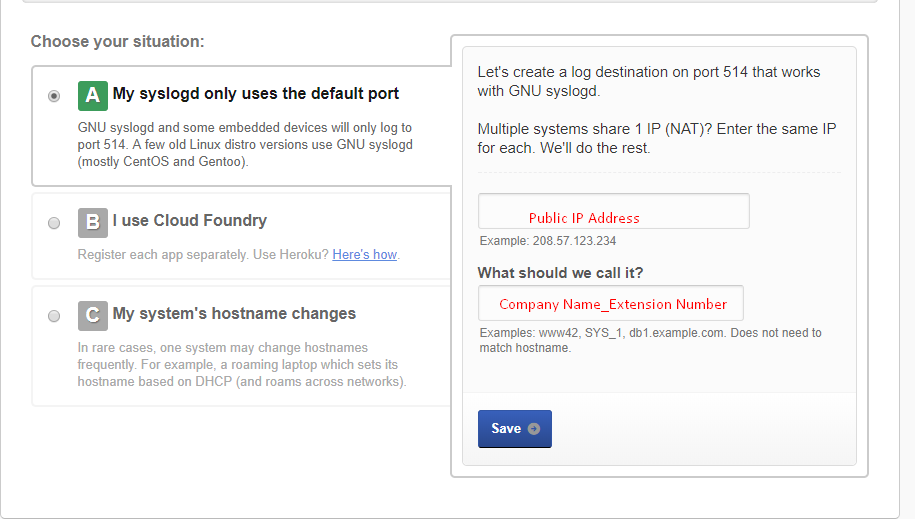
The Public IP is the WAN Address that the phone is using
Company Name_Ext is info for search purposes
- Click Save
- Proceed to the next step according to the phone manufacture
GRANDSTREAM PHONE WEB GUI SETTING
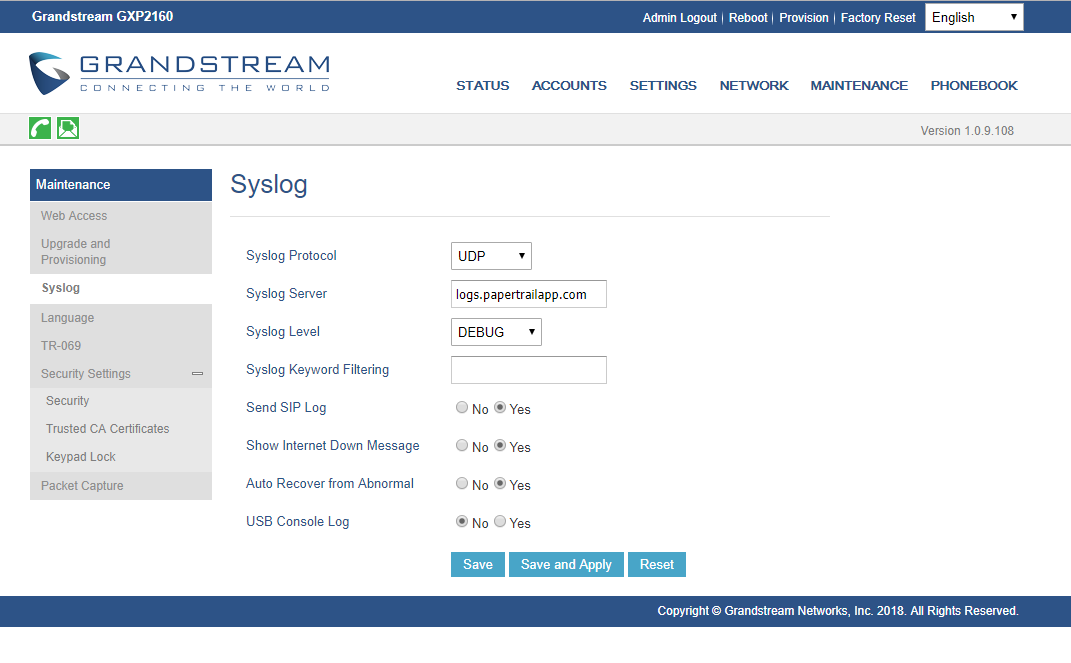
Grandstream Parameters
P207="logs.papertrailapp.com"
P208="4"
P1387="1"
Yealink Parameters
syslog.mode="1"
syslog.server="logs.papertrailapp.com"
syslog.log_level="3"
Polycom Parameters
log.render.stdout="0"
log.render.level="0"
log.level.change.sip="0"
log.level.change.slog="2"
log.sched.1.name="memShow"
log.sched.2.name="showCpuLoad"
log.sched.1.period="180"
log.sched.2.period="180"
log.sched.1.startTime="30"
log.sched.2.startTime="30"
device.set=“1”
device.syslog.transport.set=“1”
device.syslog.transport=“1”
device.syslog.facility.set=“1”
device.syslog.facility=“16”
device.syslog.renderLevel.set=“1”
device.syslog.renderLevel=“0”
device.syslog.prependMac.set=“1”
device.syslog.prependMac=“Enabled”
device.syslog.serverName=“logs.papertrailapp.com"
For more details on Polycom Syslog Parameters, go to this link
http://support.polycom.com/global/documents/support/technical/products/voice/Syslog_TB17124.
Was this article helpful?
That’s Great!
Thank you for your feedback
Sorry! We couldn't be helpful
Thank you for your feedback
Feedback sent
We appreciate your effort and will try to fix the article