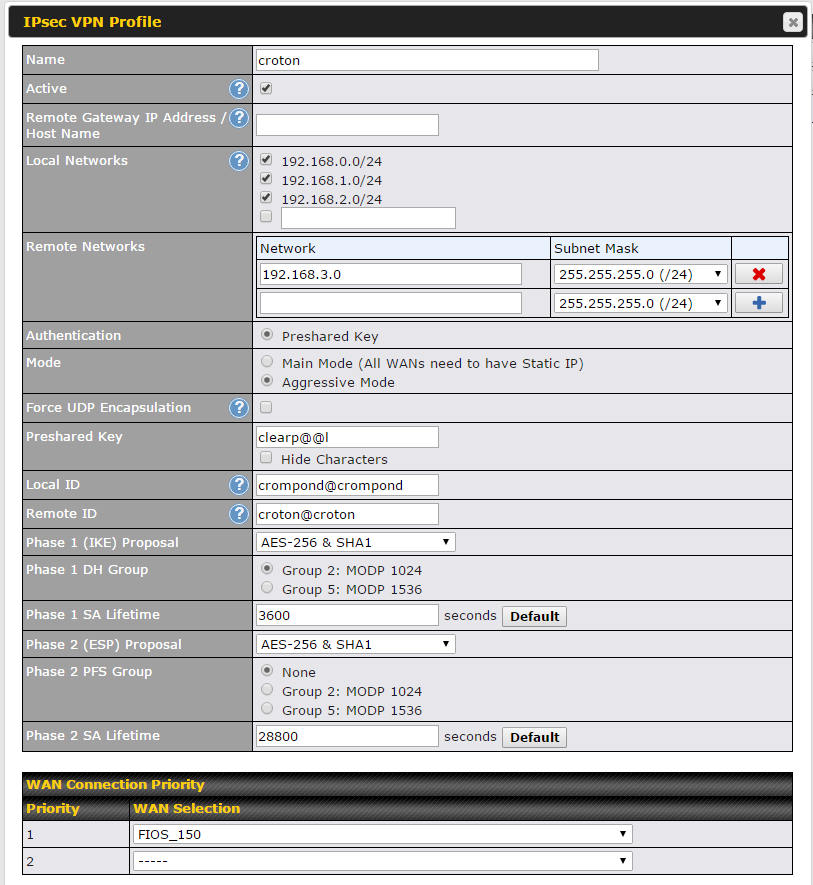
Peplink to Peplink IPsec Aggressive Mode HQ Settings
No need to program the wan ip of the remote site when using aggressive mode.
Program the LAN IP of the unit this profile is connecting to ( ex; 192.168.3.0 )
The local networks ( program these are the LAN IP's of the other branch locations )
Pre-Shared Key the same on both ends
The local id & remote id MUST have the @ symbol somewhere in the string ( test@test )
NOTE: if you have more than 1 WAN make sure you set priority at bottom of page
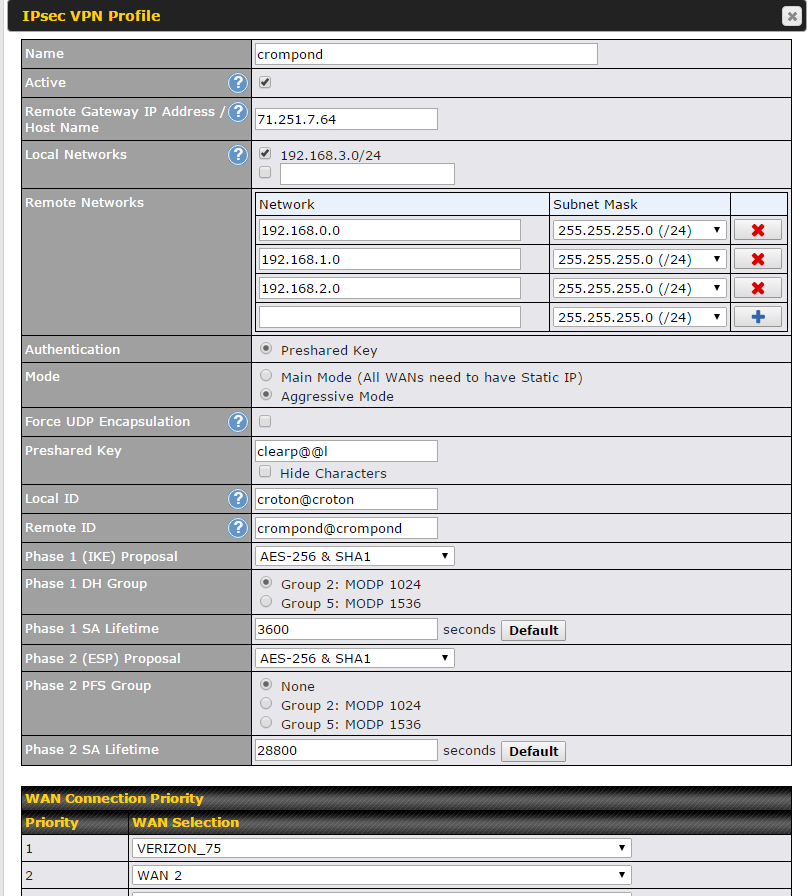
Peplink to Peplink IPsec Aggressive Mode Branch Settings
Program the static ip of the HQ in the Remote gateway IP Address Host Name: ( ex; 71.251.7.64 )
The Local Networks is the LAN on this specific unit ( ex; 192.168.3.0/24 )
The Remote Networks are the HQ and other branch office LAN subnets ( 192.168.0.0, 192.168.1.0, 192.168.2.0 )
Pre-Shared Key the same on both ends
The local id & remote id MUST have the @ symbol somewhere in the string ( test@test )
NOTE: if you have more than 1 WAN make sure you set priority at bottom of page
Was this article helpful?
That’s Great!
Thank you for your feedback
Sorry! We couldn't be helpful
Thank you for your feedback
Feedback sent
We appreciate your effort and will try to fix the article