How to set your Laptop to a specific VLAN for management access or testing on Network Switches etc.
https://www.youtube.com/watch?v=72037i0pkMA
On your laptop go to Device Manager
Select Network Adapters
Choose your Network Adapter
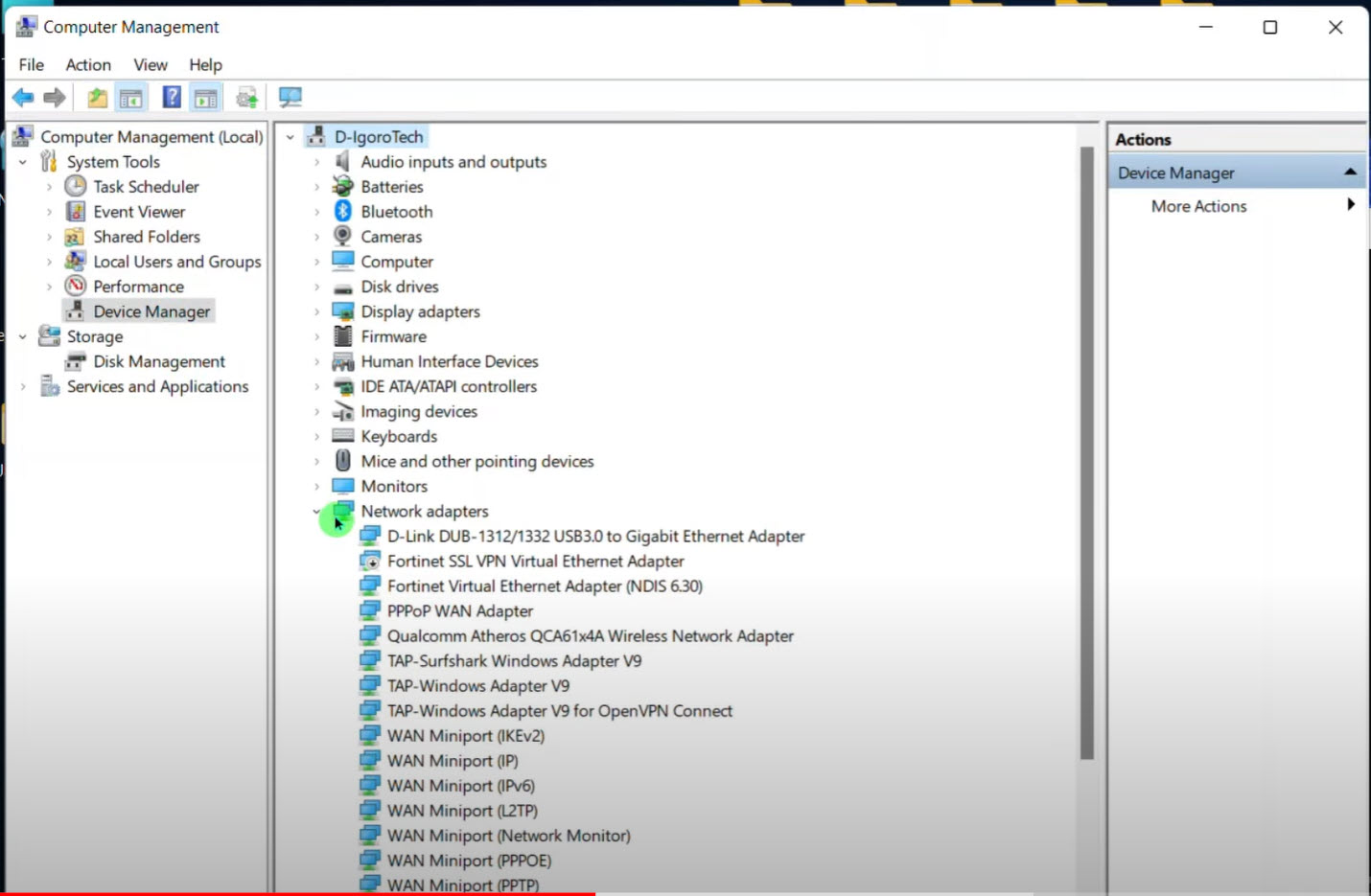
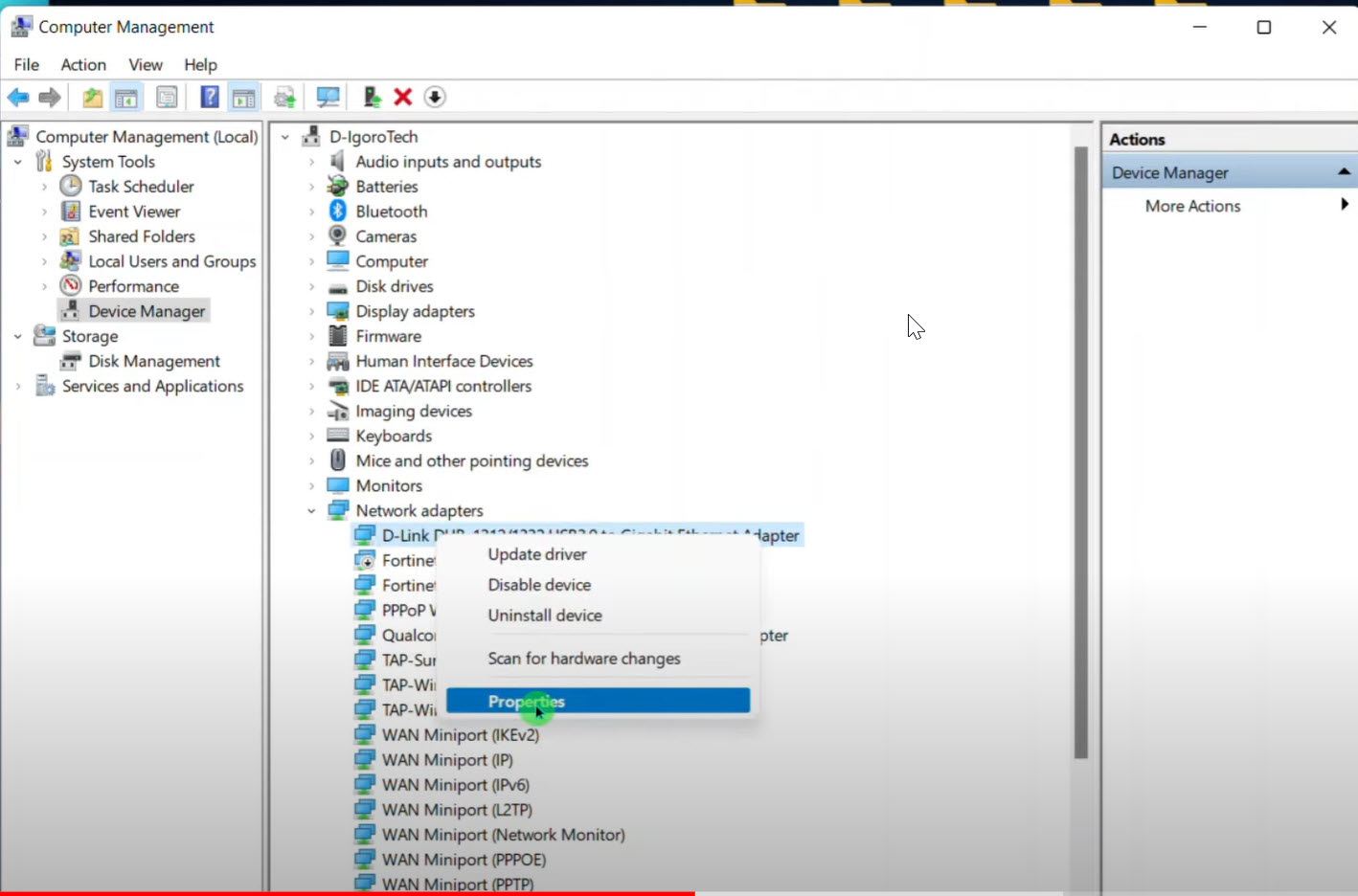
Right Click on the Network Adapter
Choose PROPERTIES
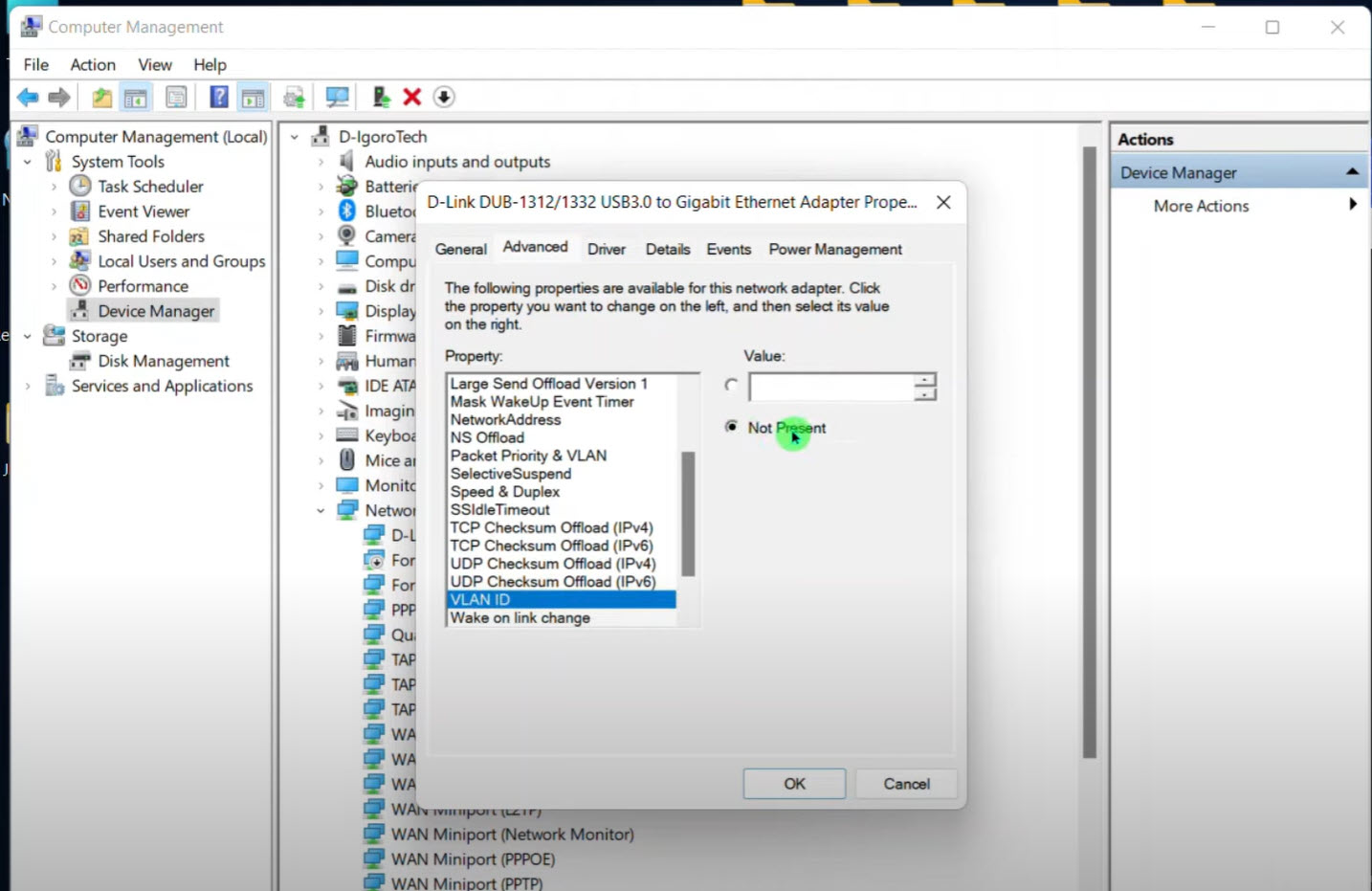
Scroll to VLAN ID
Click the Radio Button for Value
Enter the VLAN that you want your Laptop to use
Was this article helpful?
That’s Great!
Thank you for your feedback
Sorry! We couldn't be helpful
Thank you for your feedback
Feedback sent
We appreciate your effort and will try to fix the article