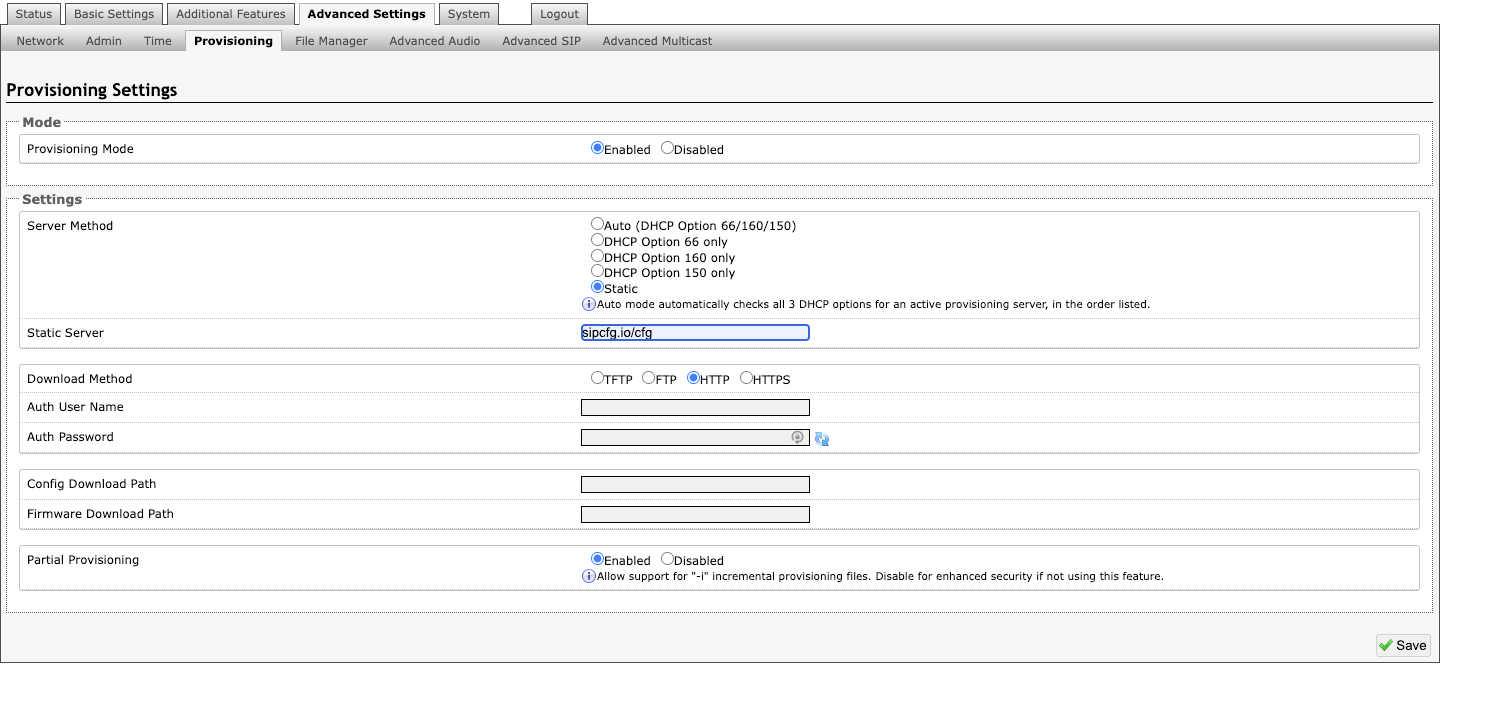
This article includes the steps needed to manually enter the address of the SkySwitch Provisioning Server for Algo SIP devices.
For general information regarding adding a provisioning server URL for SIP devices, please refer to this article.
Algo Device Steps
- Determine the IP of the Phone and navigate to the IP via a browser.
- The default username/password is admin/algo.
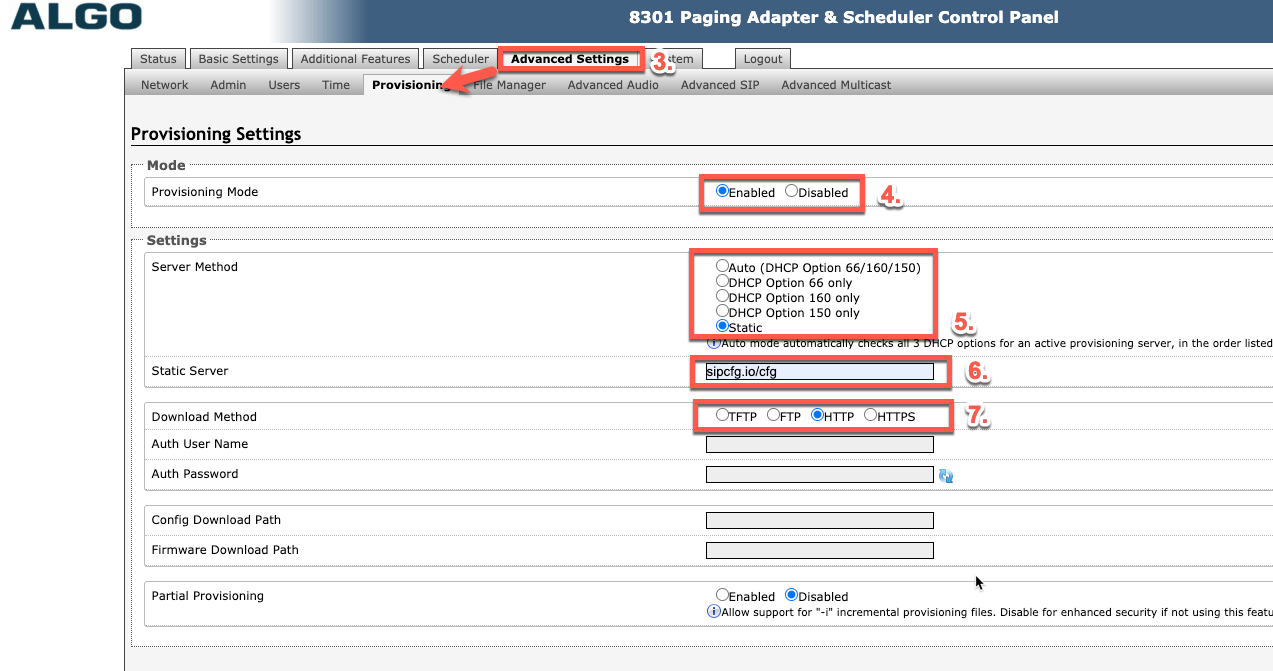
- Navigate to Advanced Settings > Provisioning.
- Enable Provisioning Mode.
- Set the Server Method option to 'Static'.
- Change the Static Server to use the syntax 'sipcfg.io/cfg', as seen in the image below.
- Select 'HTTP' for Download Method.
- Click 'Save' and reboot once prompted.
Overrides
Nearly all parameters can be overridden with our custom configuration files since they use Netsapiens Code Structure.
If specific overrides are not functioning as intended, please open a support ticket, and we will work to address any missing overrides.
Partial Provisioning
When using incremental provisioning, it should be noted the parameters explicitly included in the config file are the only ones that will be updated. Settings that are omitted will not be changed.
Please see “8. Partial Provisioning using Incremental Files” at the bottom of page 9 in the provisioning guide found on this Algo Guide page for more information.
If you are more comfortable making changes manually within the UI, you can enable incremental provisioning using the override below:
prov.i=”1”