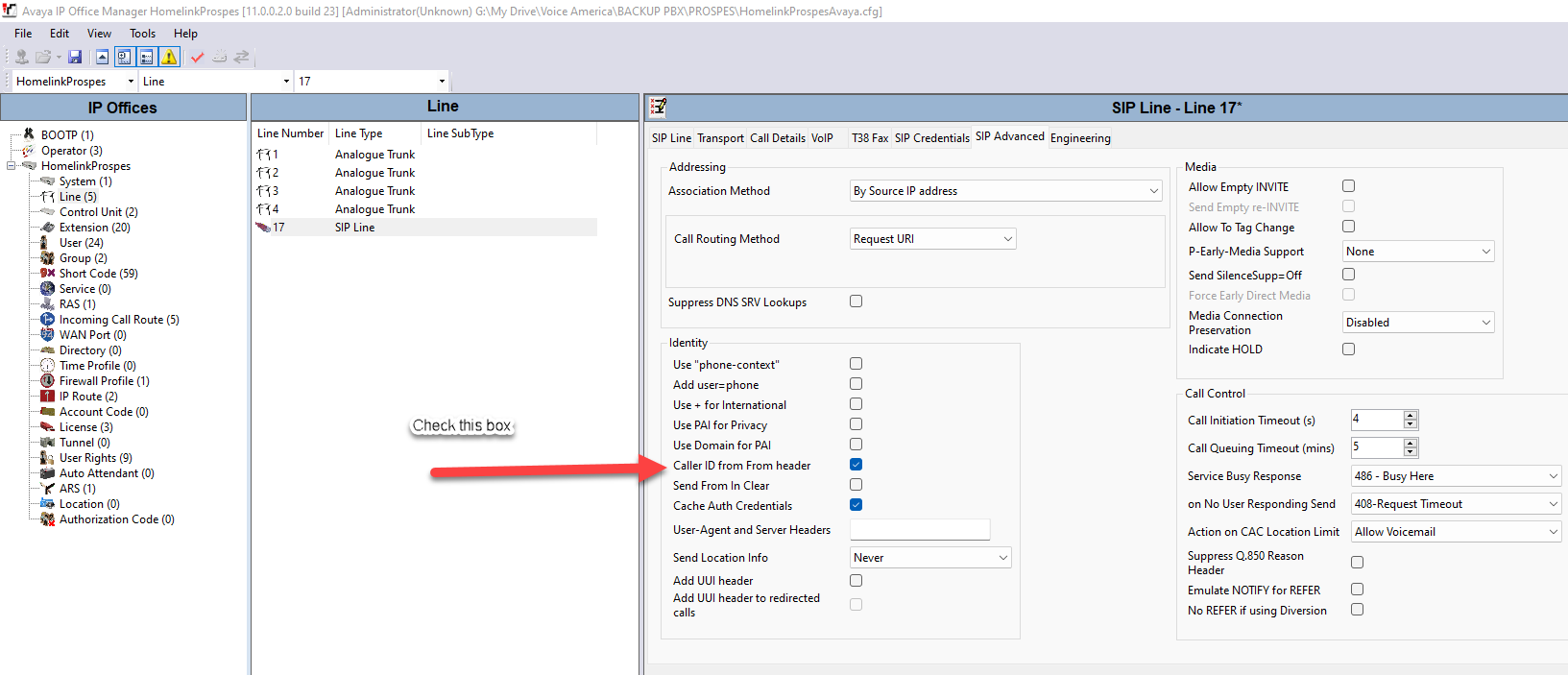
This is a guide on how to setup/registration settings for a SIP trunk for Avaya IP Office
Note: Items enclosed in <> need to be changed to actual values.
SIP Line
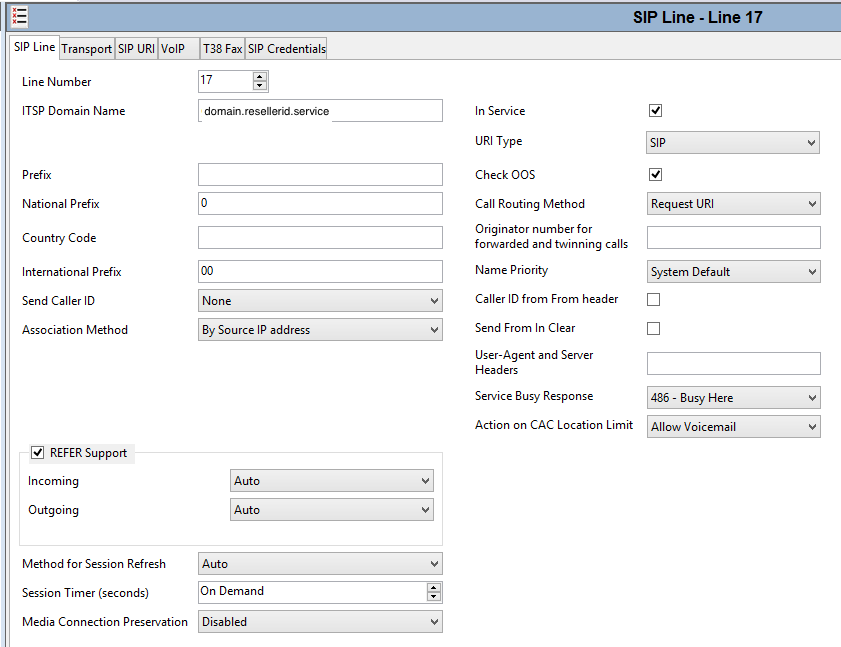
- ITSP Domain Name = name of the domain that the sip trunk is on in Skyswitch = <domain>.<resellerid>.service (e.g. abcdomain.12345.service)
Transport
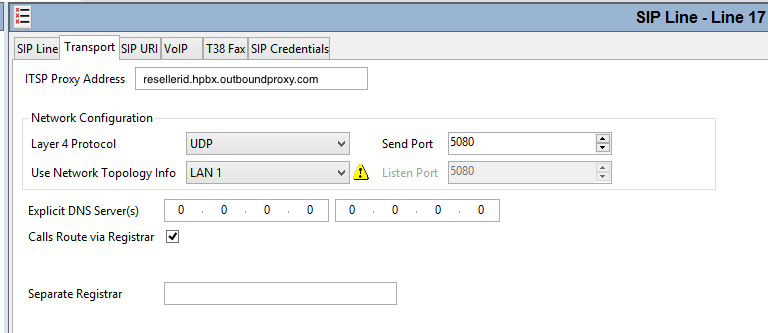
- ITSP Proxy Address = <resellerid>.hpbx.outboundproxy.com (e.g. 12345.hpbx.outboundproxy.com)
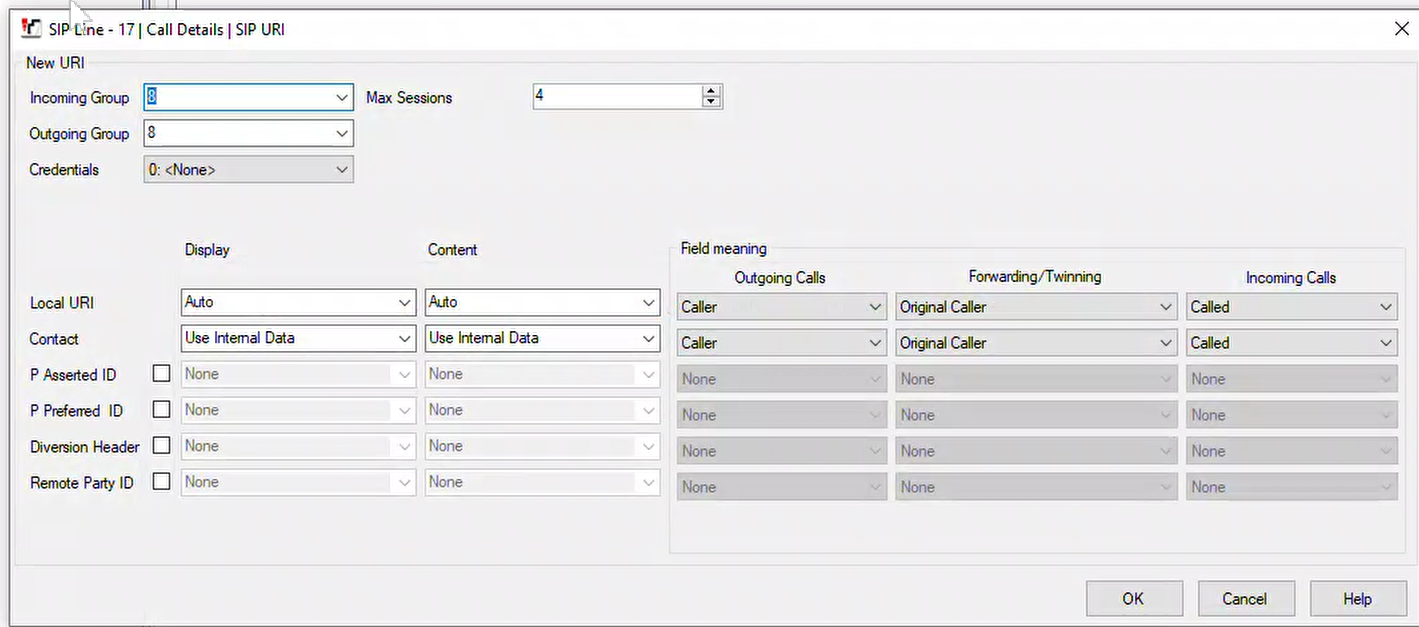
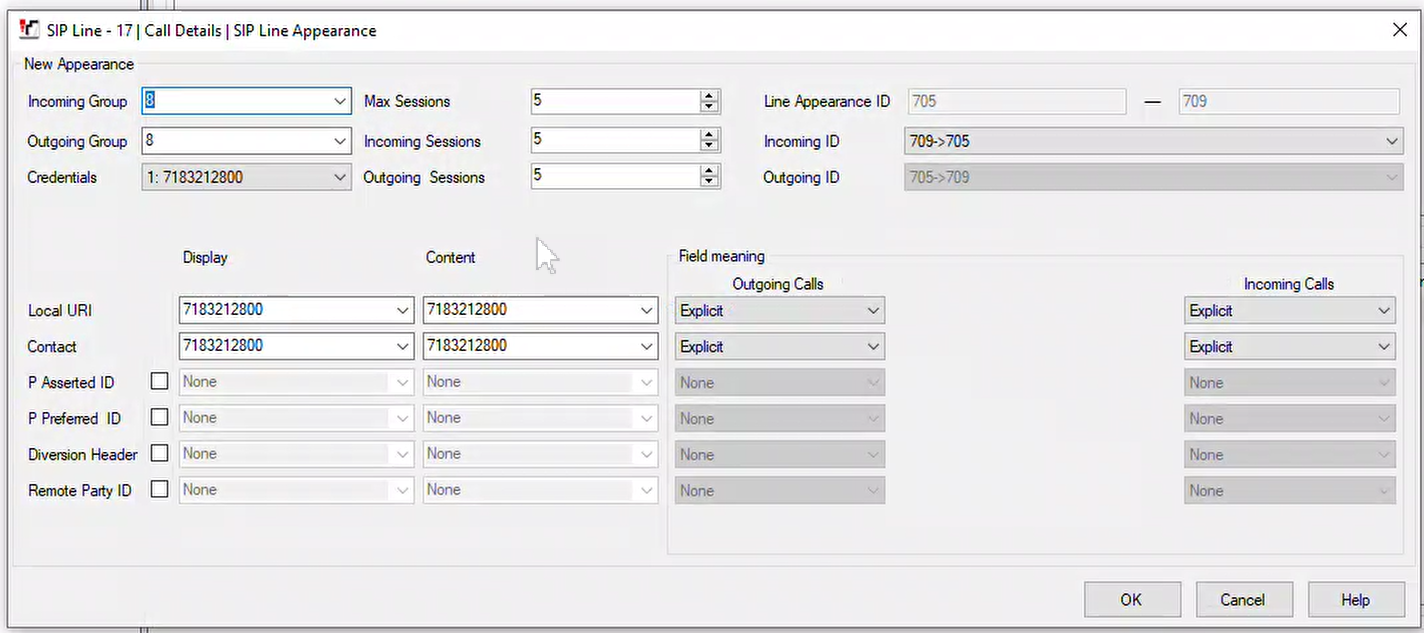
SIP URI or CALL DETAIL (tab, depending on version)
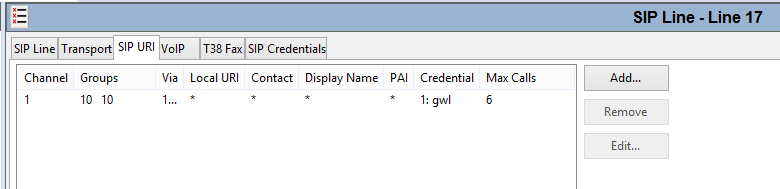
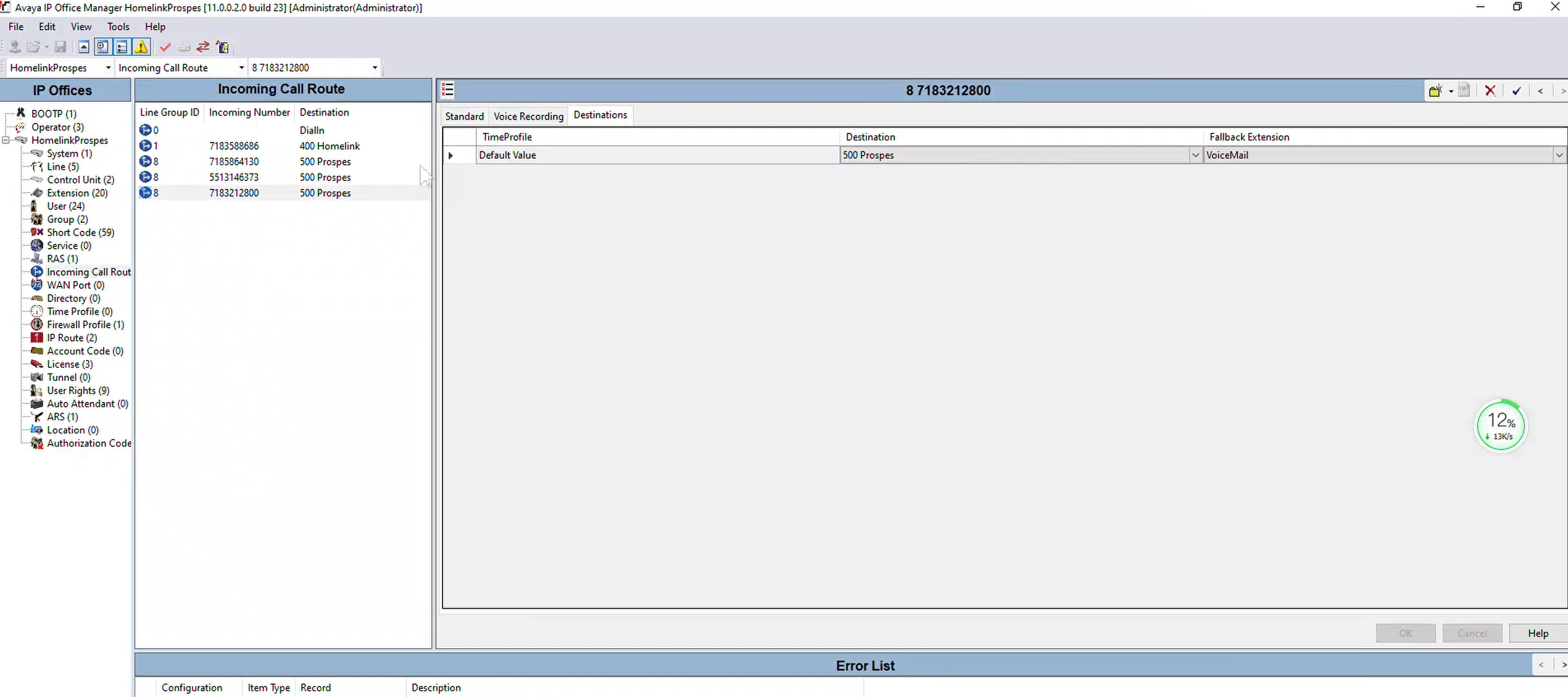
- The SIP URI will need to be set to an inbound group that matches the group on the inbound route.
VoIP
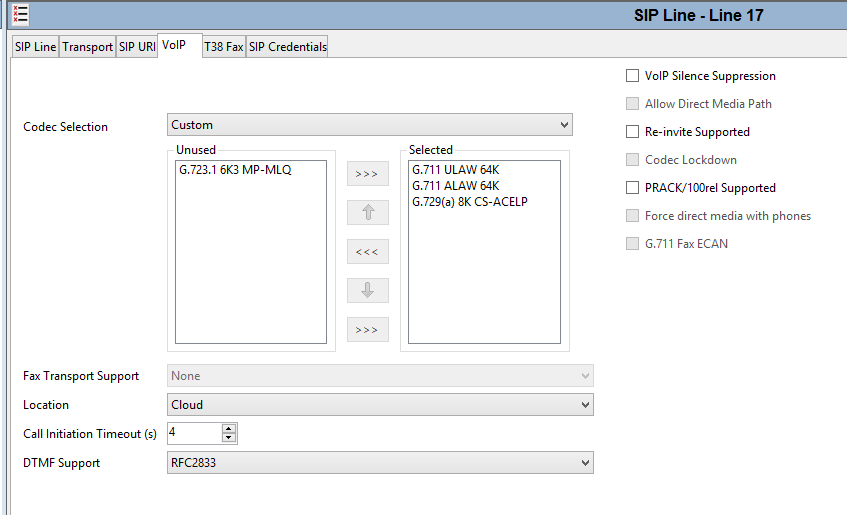
- Include G.711 as one of the selected codecs
INBOUND ROUTING (this is where the DID list goes for routing)
SIP Credentials
The sip credentials will be the Sip User and Sip Password settings of the sip trunk in Skyswitch.
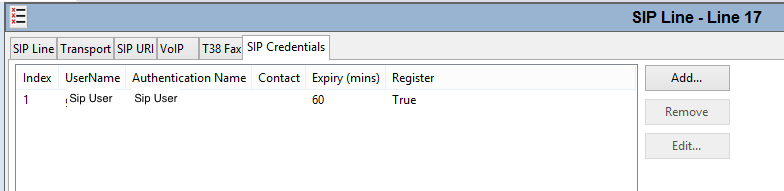
- UserName = Sip User
- Authentication Name = Sip User
You check the Caller ID from "From Header" this will allow the inbound caller id to pass top the telephone.