NOTE: This unit powers up with a Static LAN IP 192.168.1.128
admin
admin
You can change to DHCP either by logging onto the Web Gui of the unit or press the following button
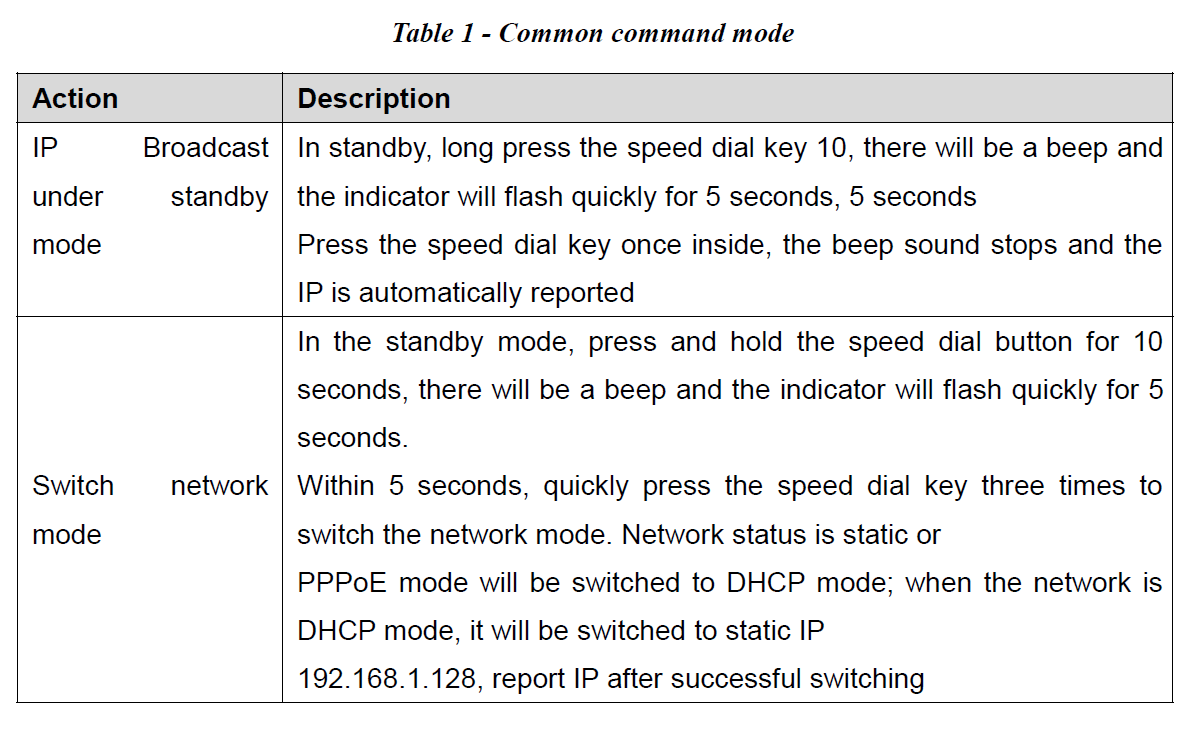
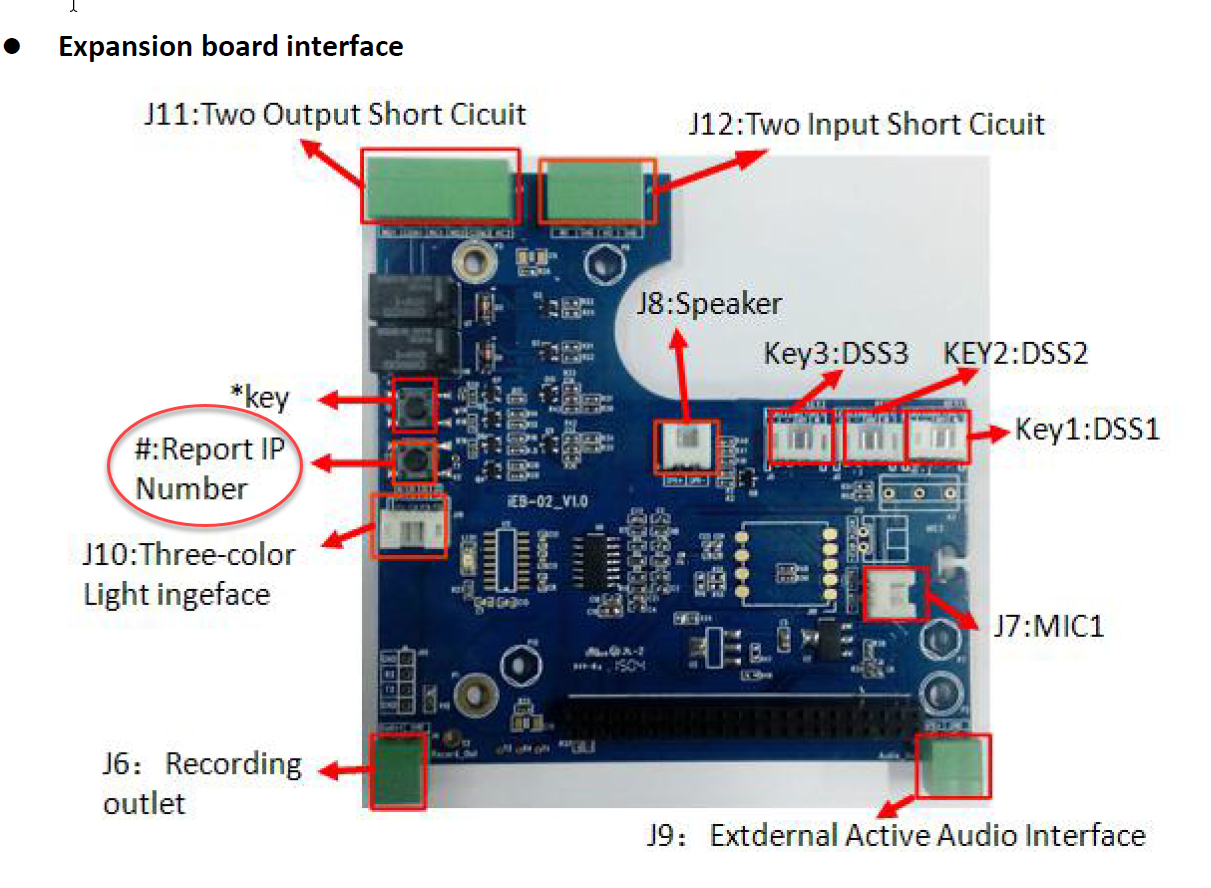
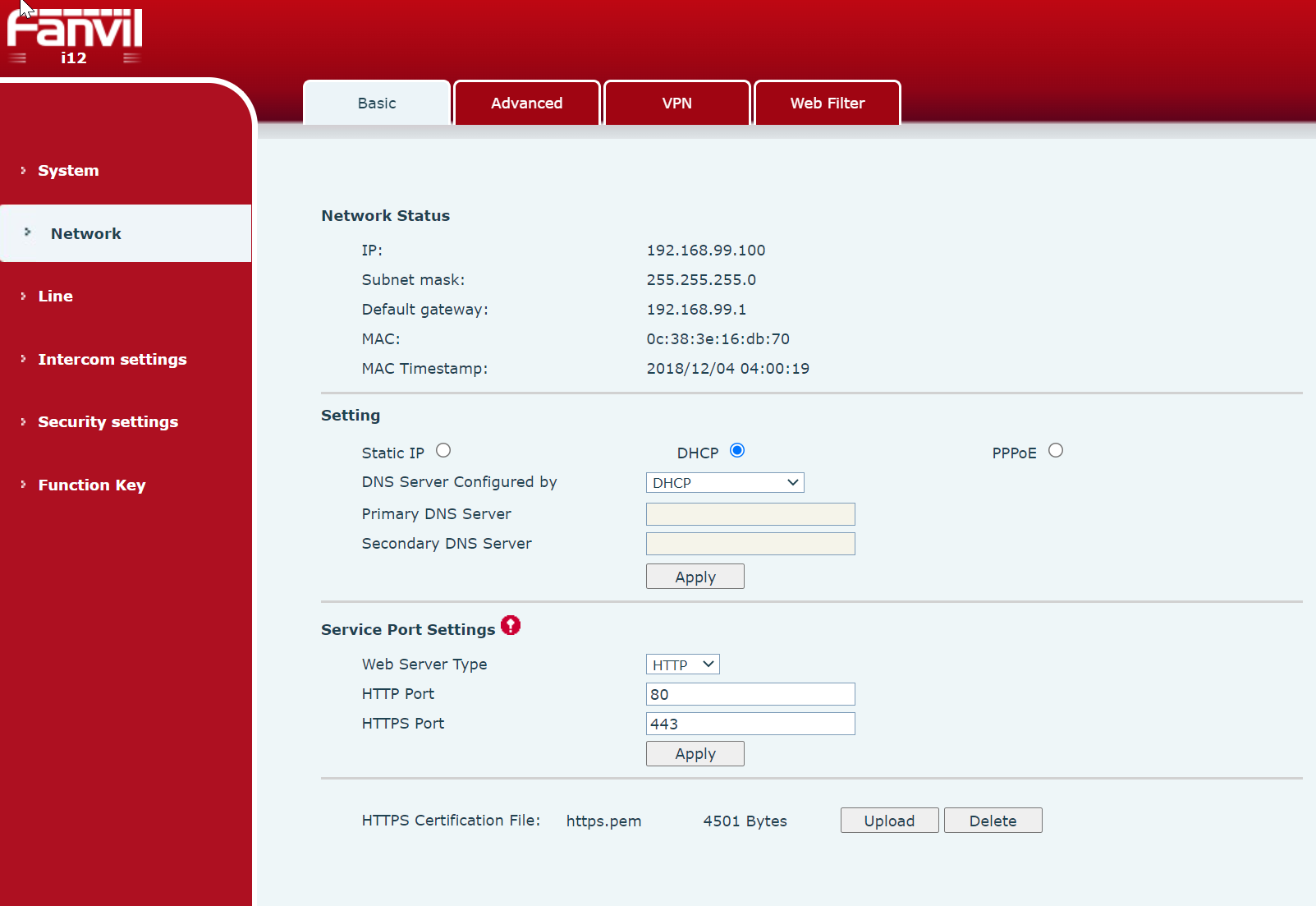
Change from LAN Static 192.168.1.128 to DHCP using Web GUI
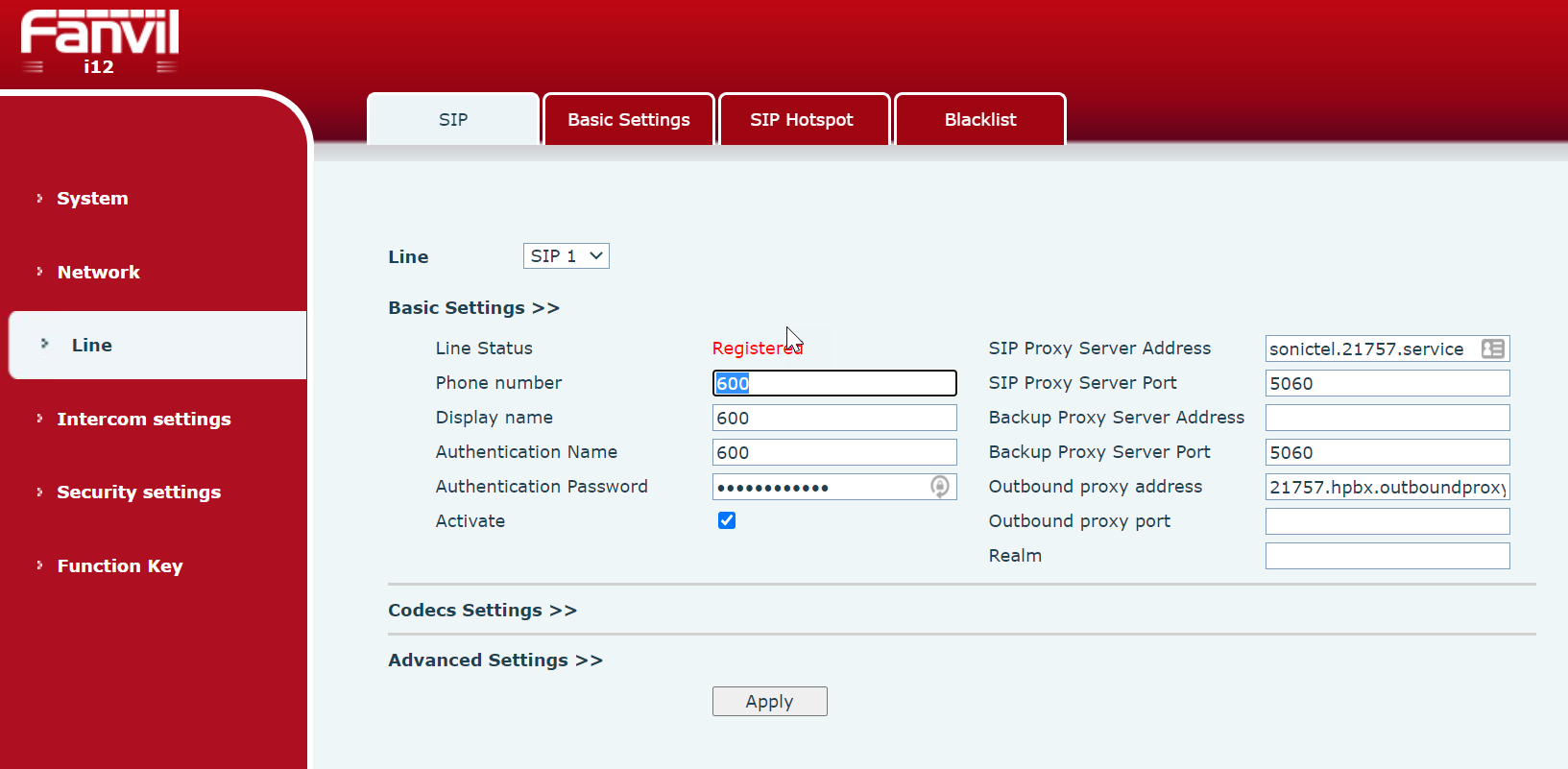
SIP Registration
SIP Reg Timer
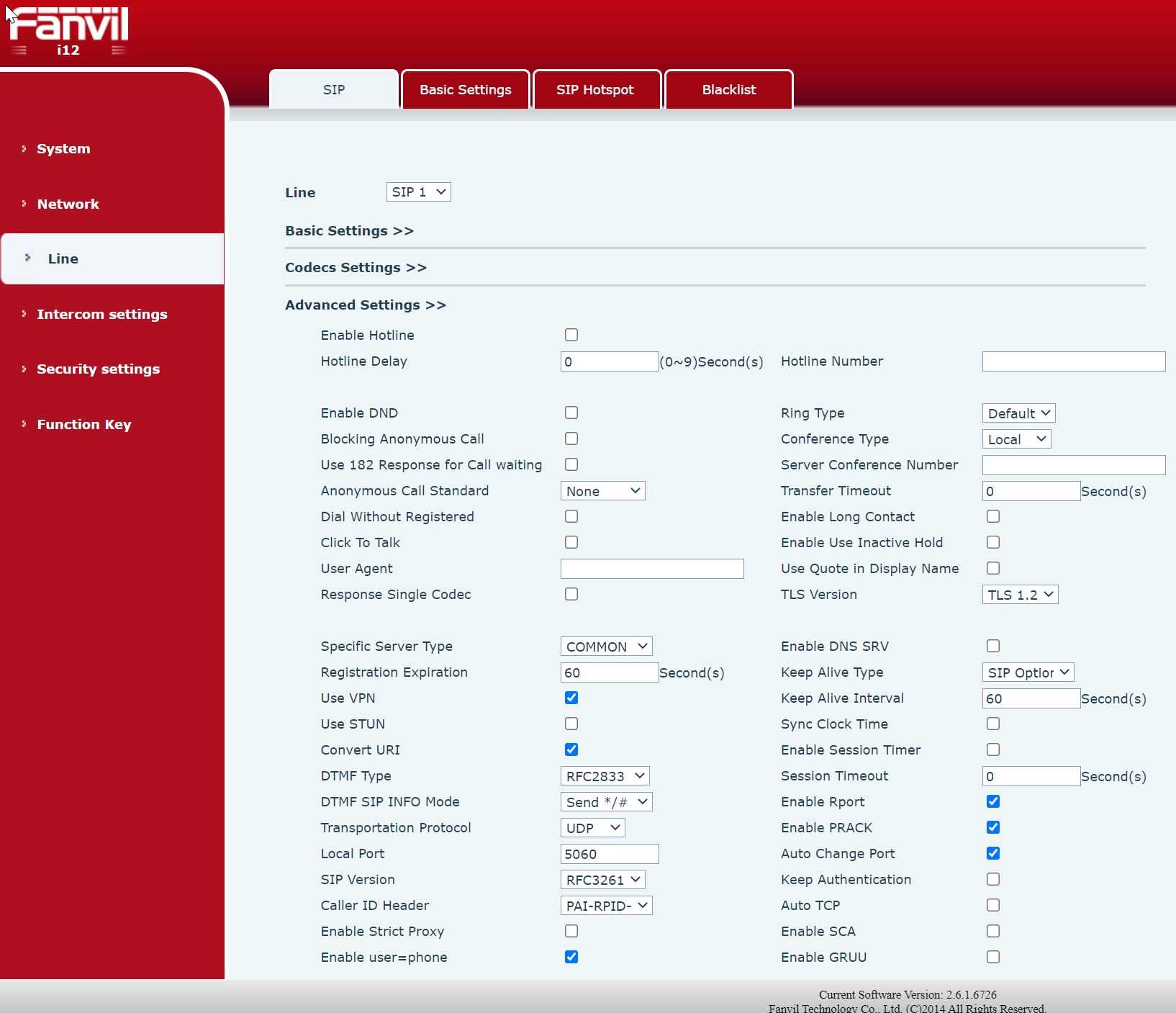
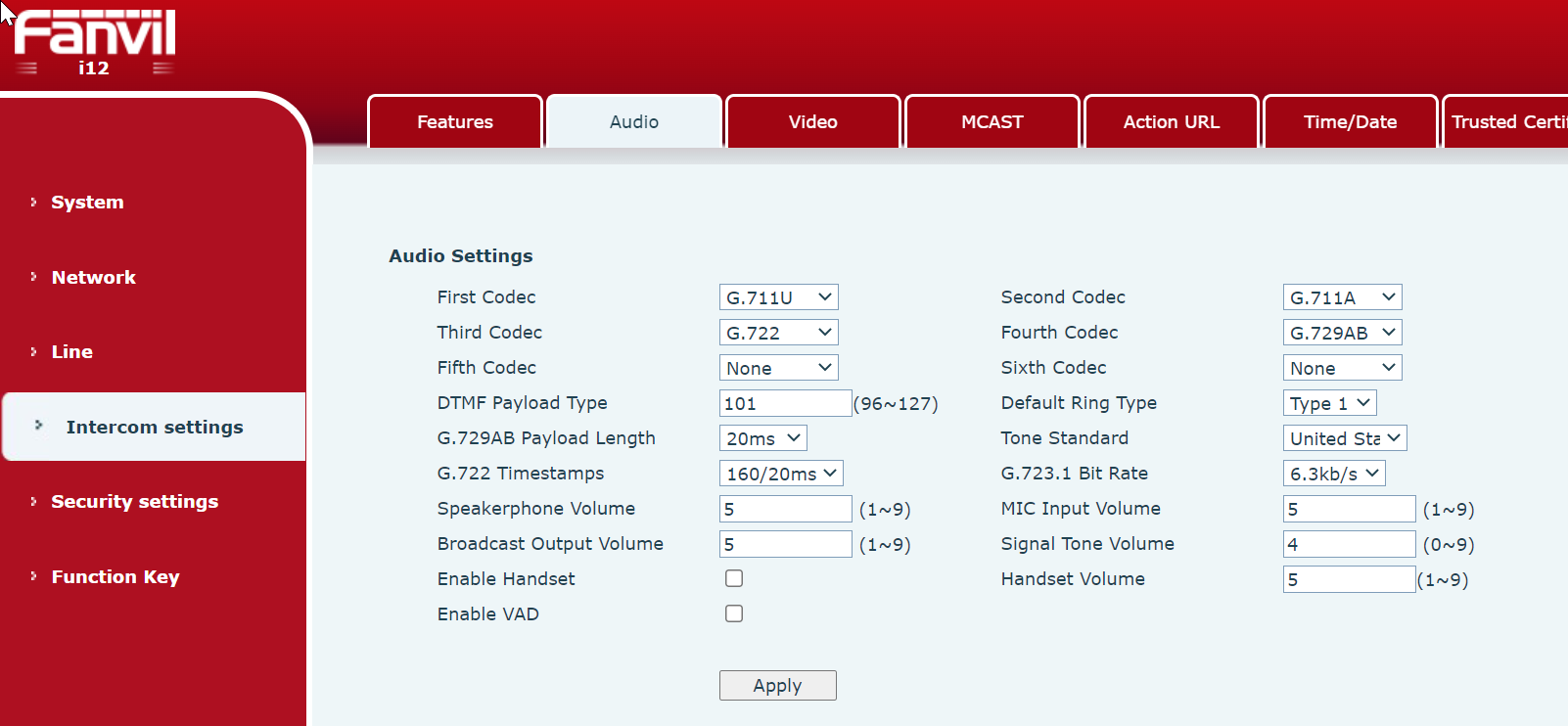
SIP First Codec to G711.U
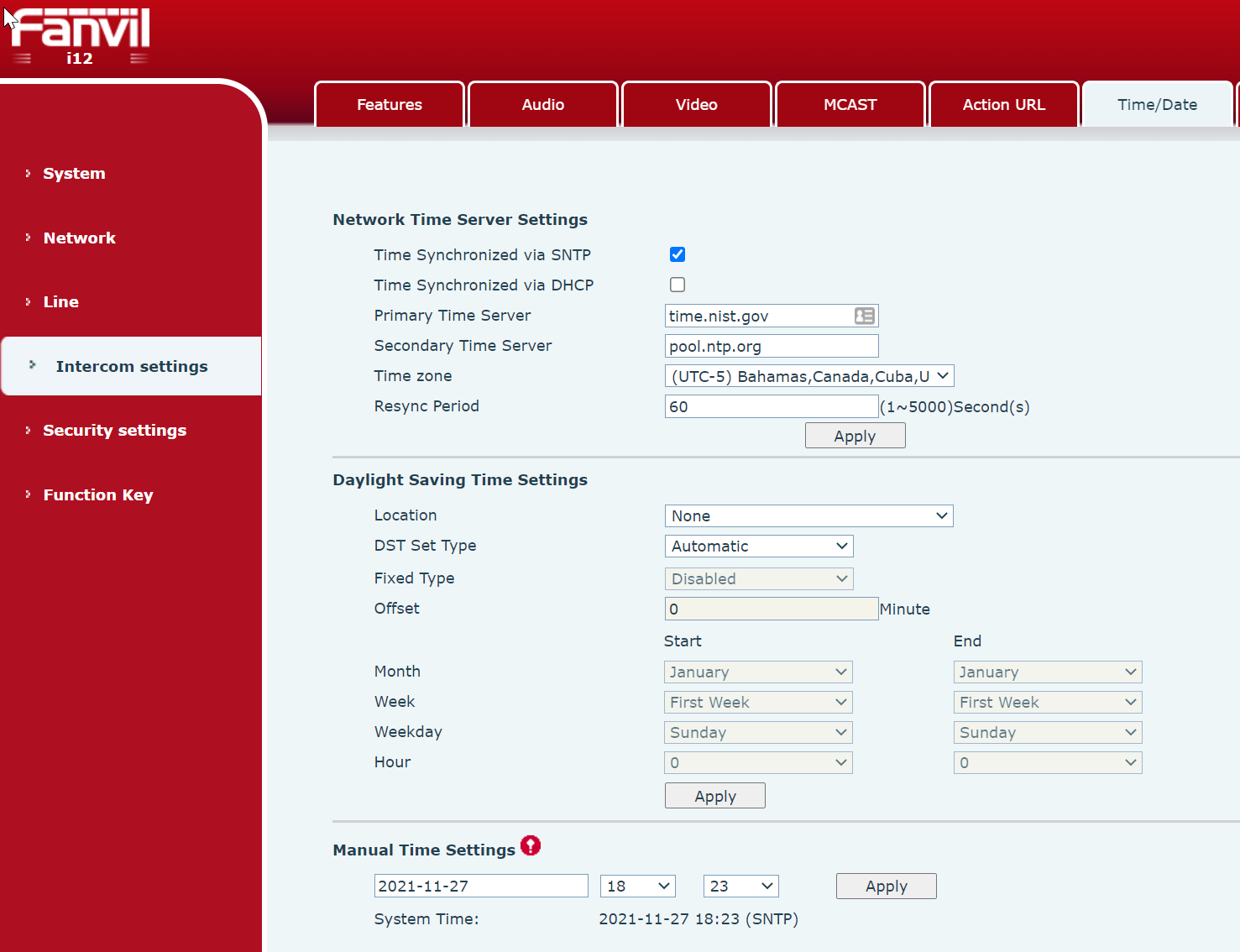
Set Date & Time
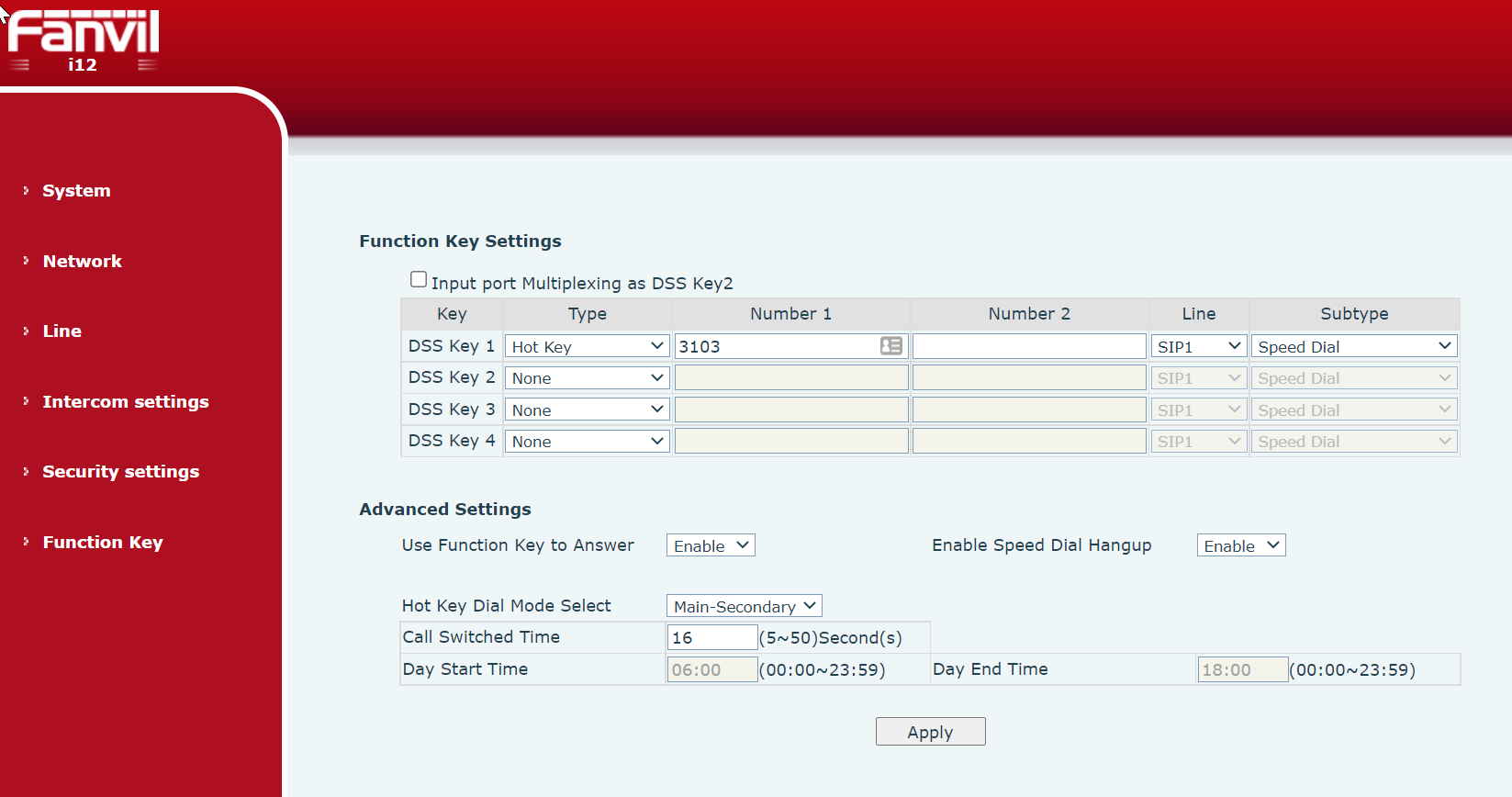
Set Auto Dial Extension/Group when the button is pressed
Set Door Open Code = 6
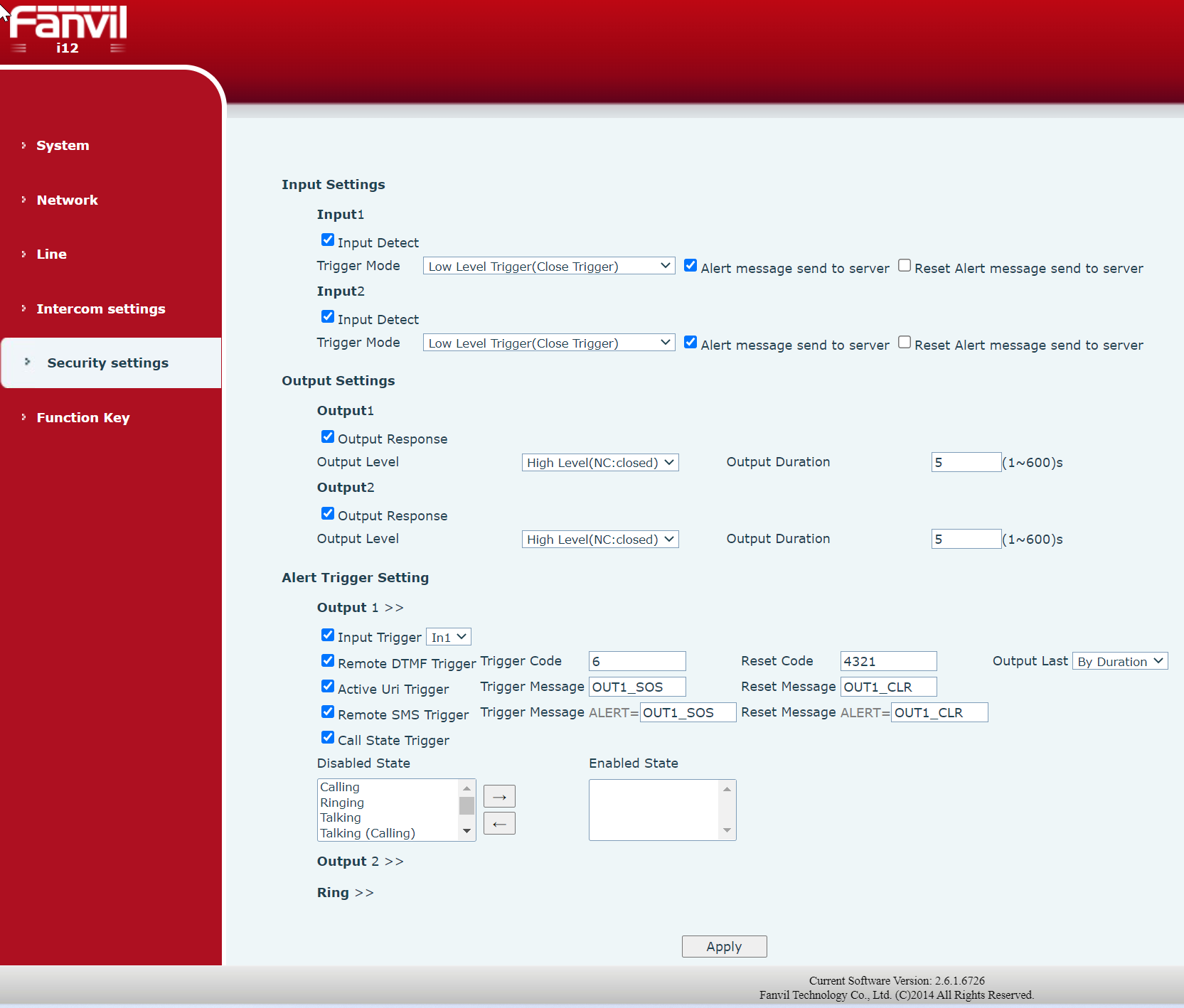
See User Manual Attached
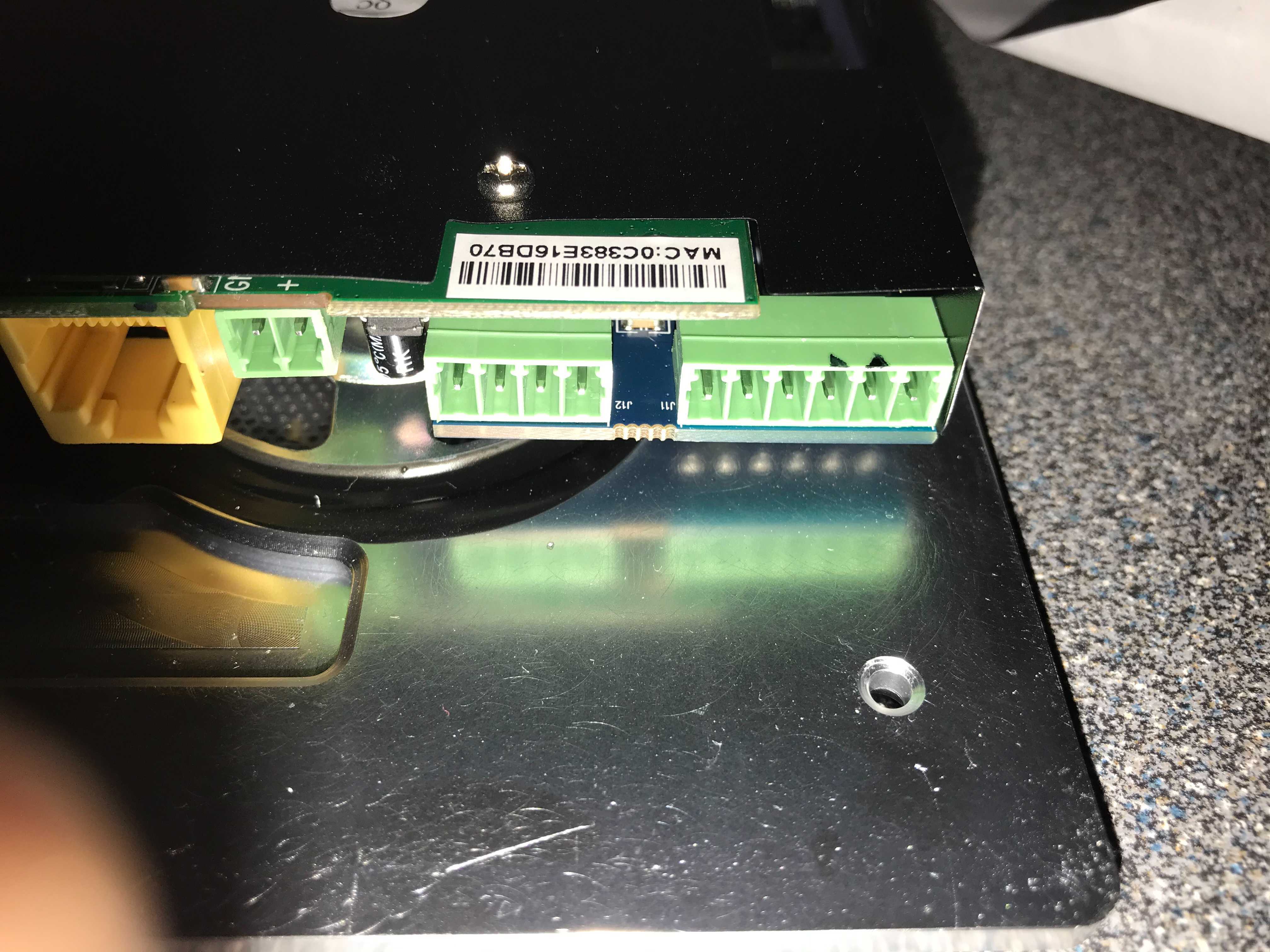
The two pins marked with black ink are were the door switch connects the second one is the common
Was this article helpful?
That’s Great!
Thank you for your feedback
Sorry! We couldn't be helpful
Thank you for your feedback
Feedback sent
We appreciate your effort and will try to fix the article