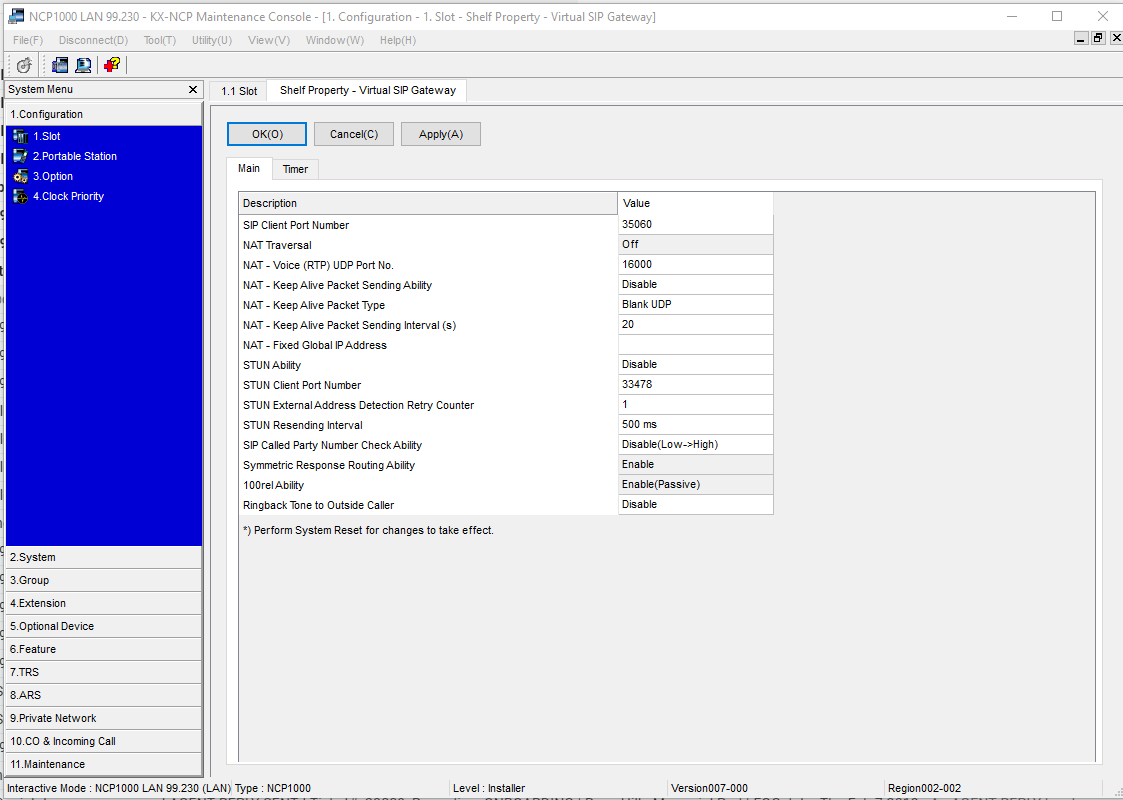
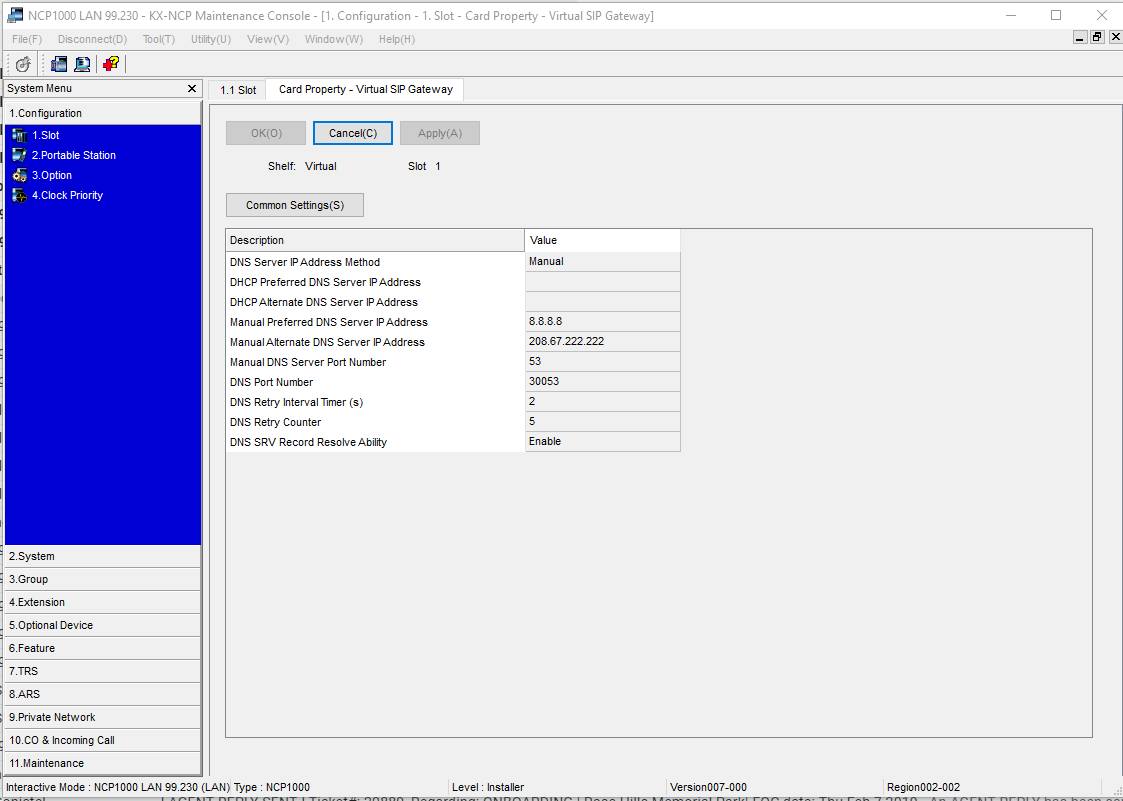
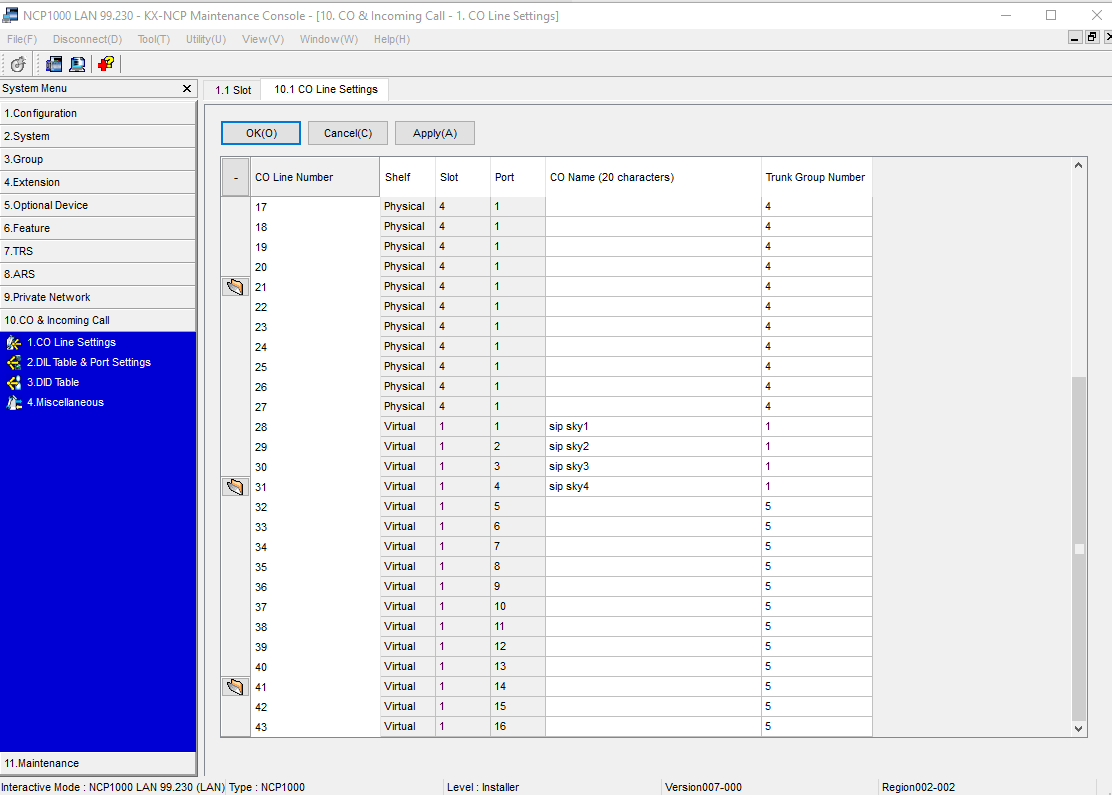
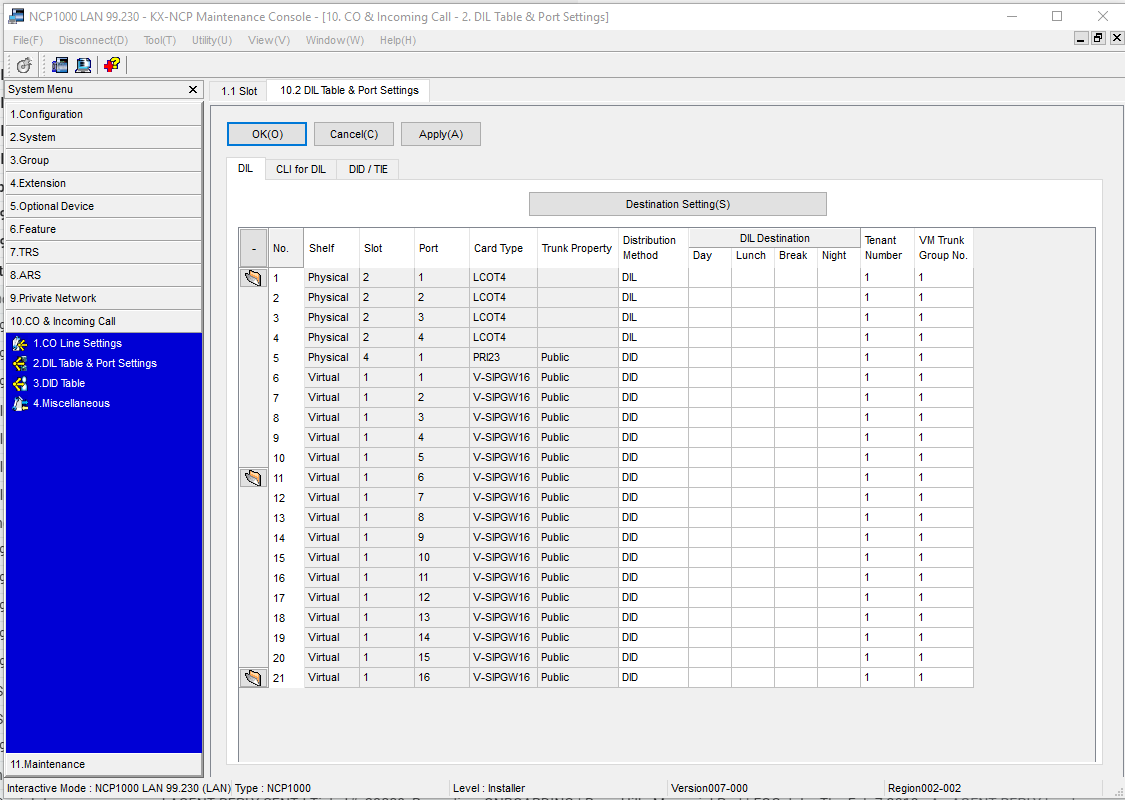
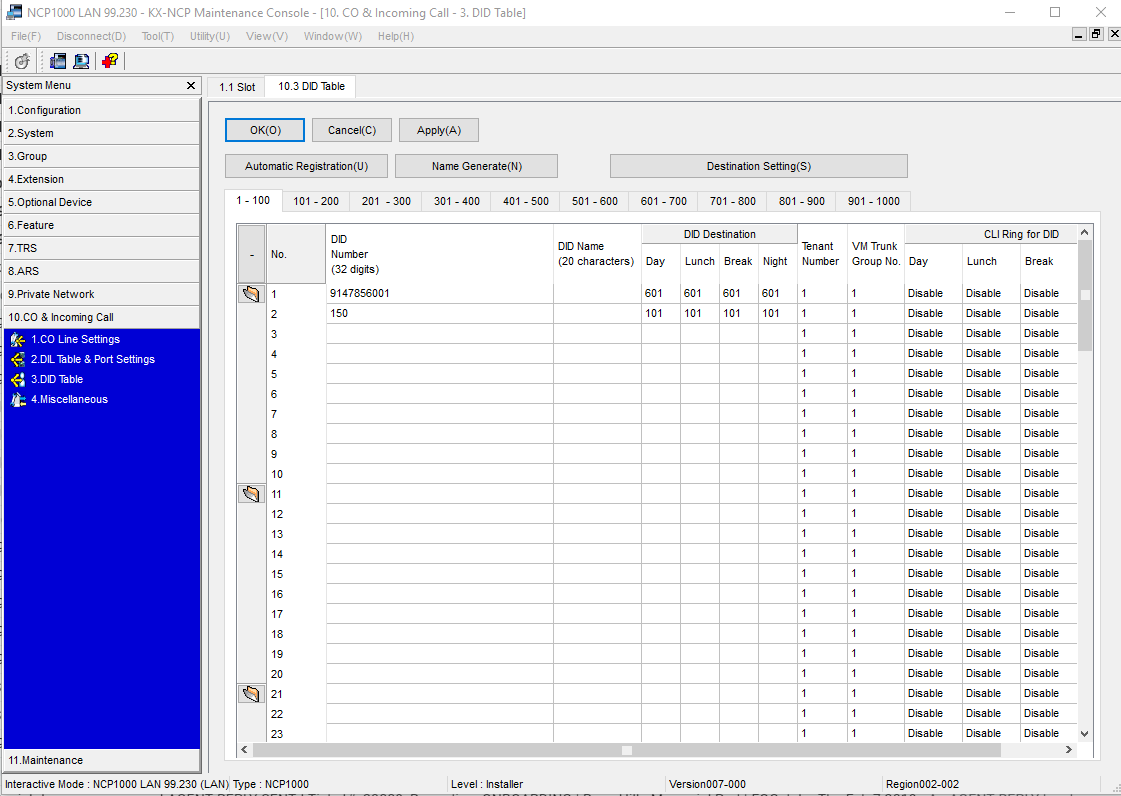
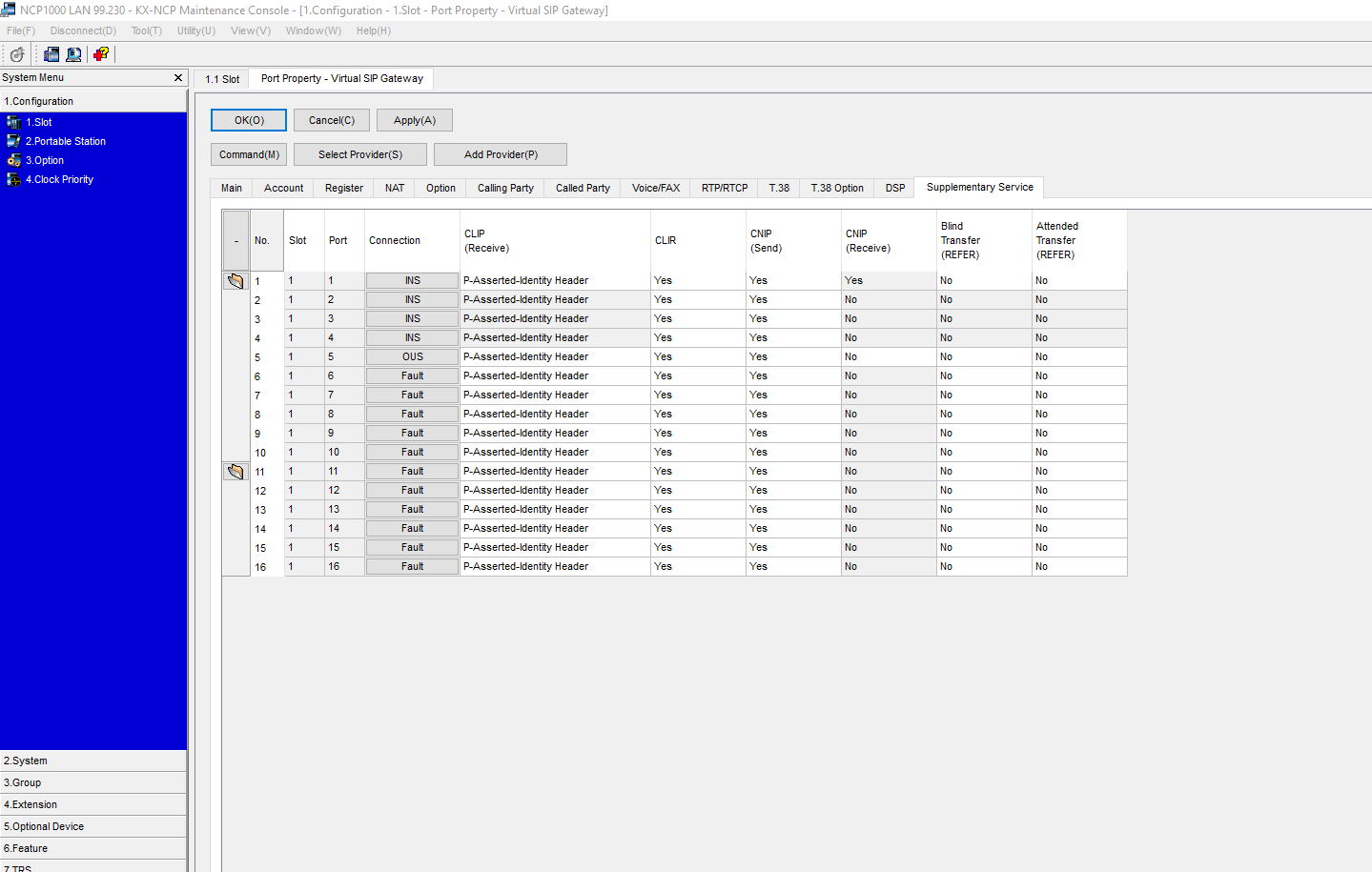
Below are the screenshots for the Panasonic PBX SIP Trunk setting for Skyswitch
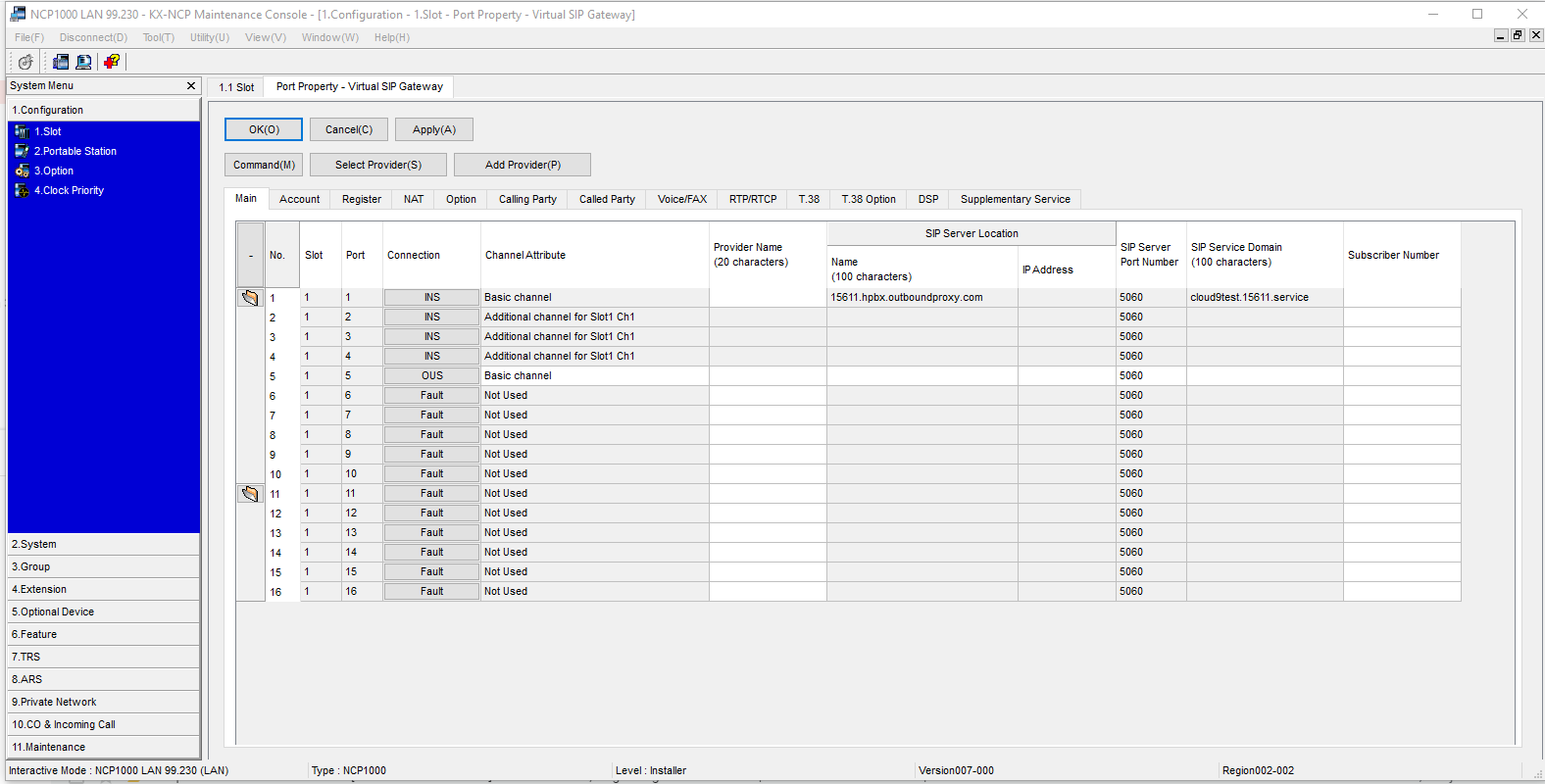
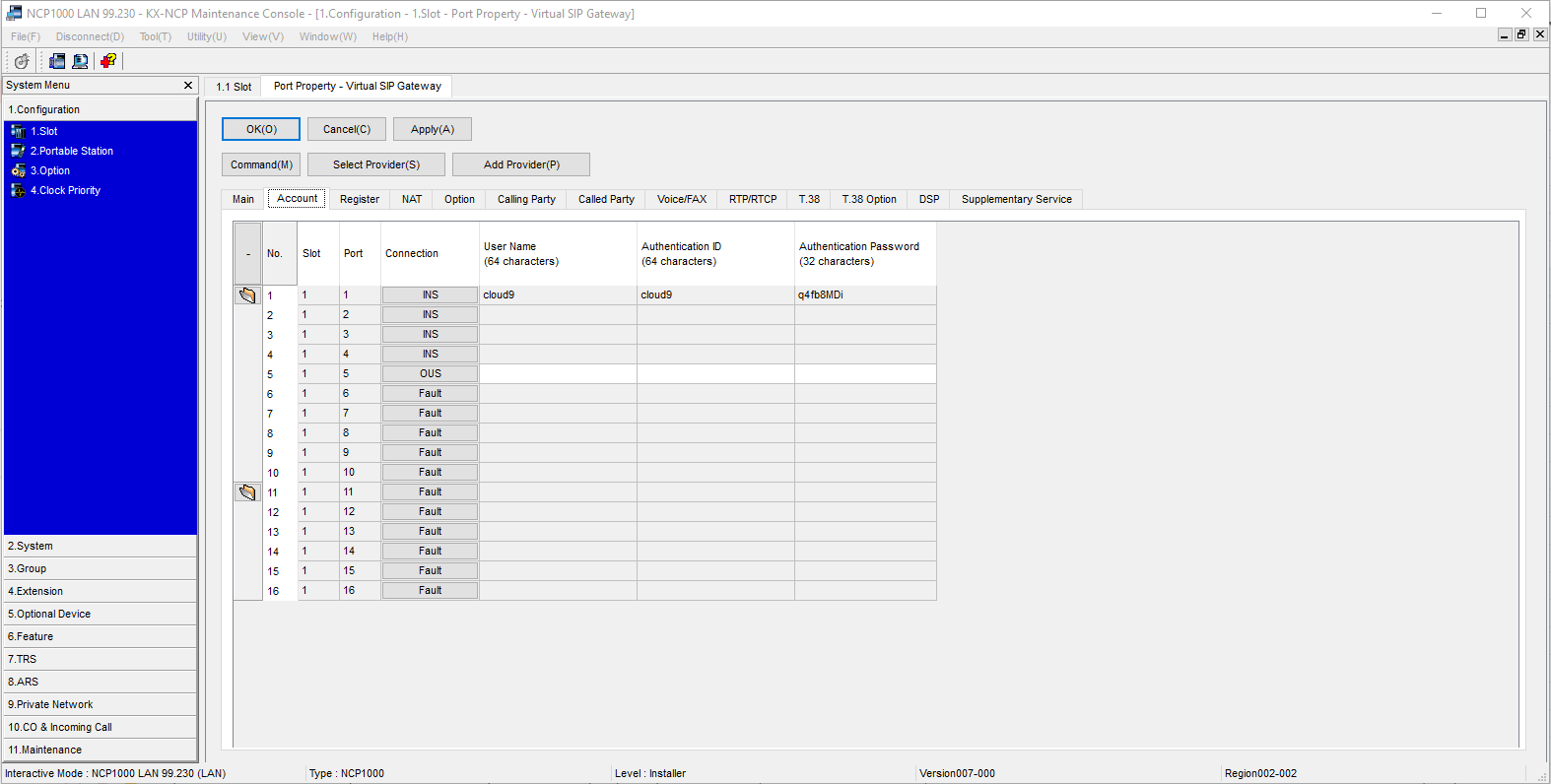
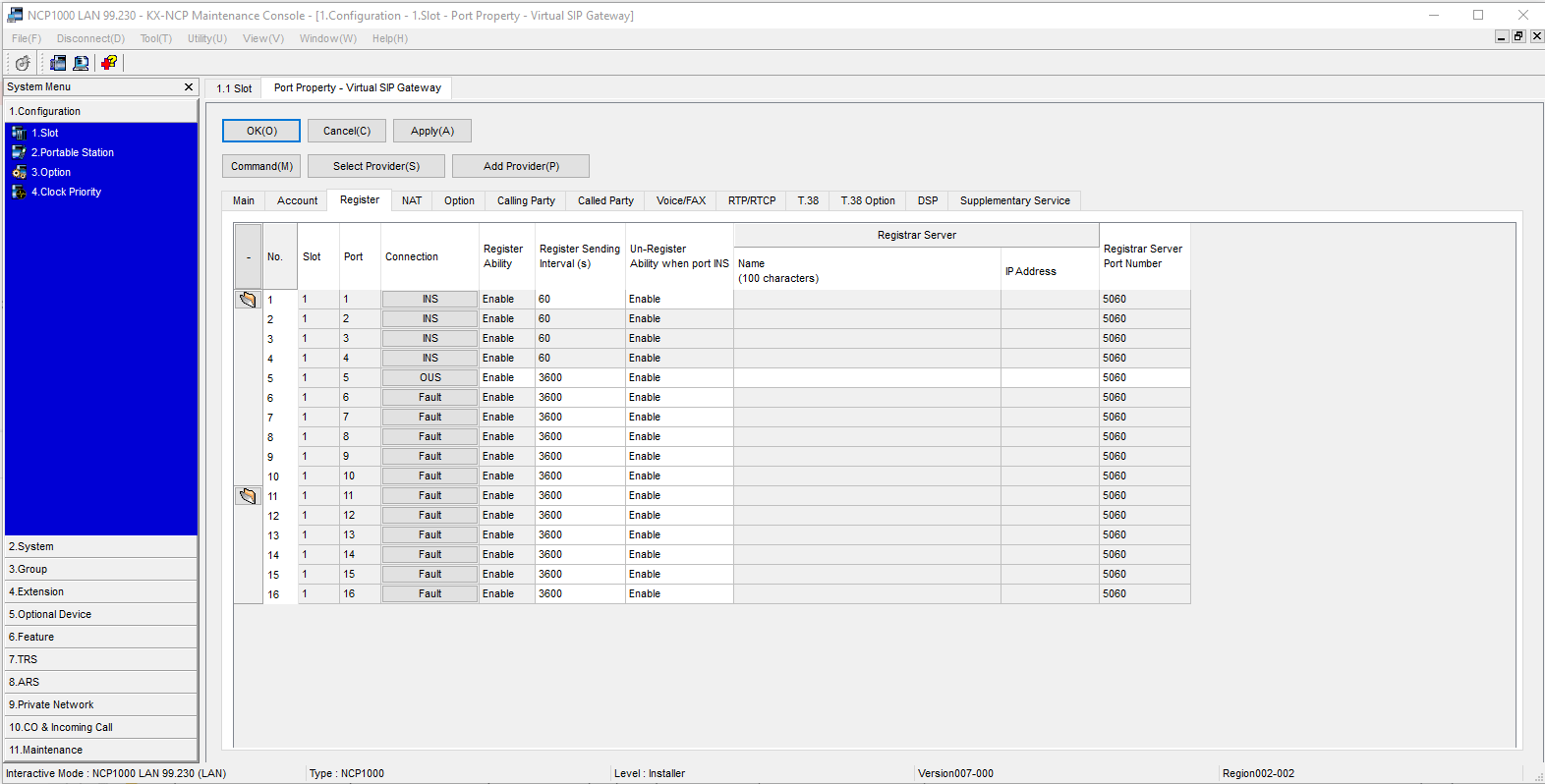
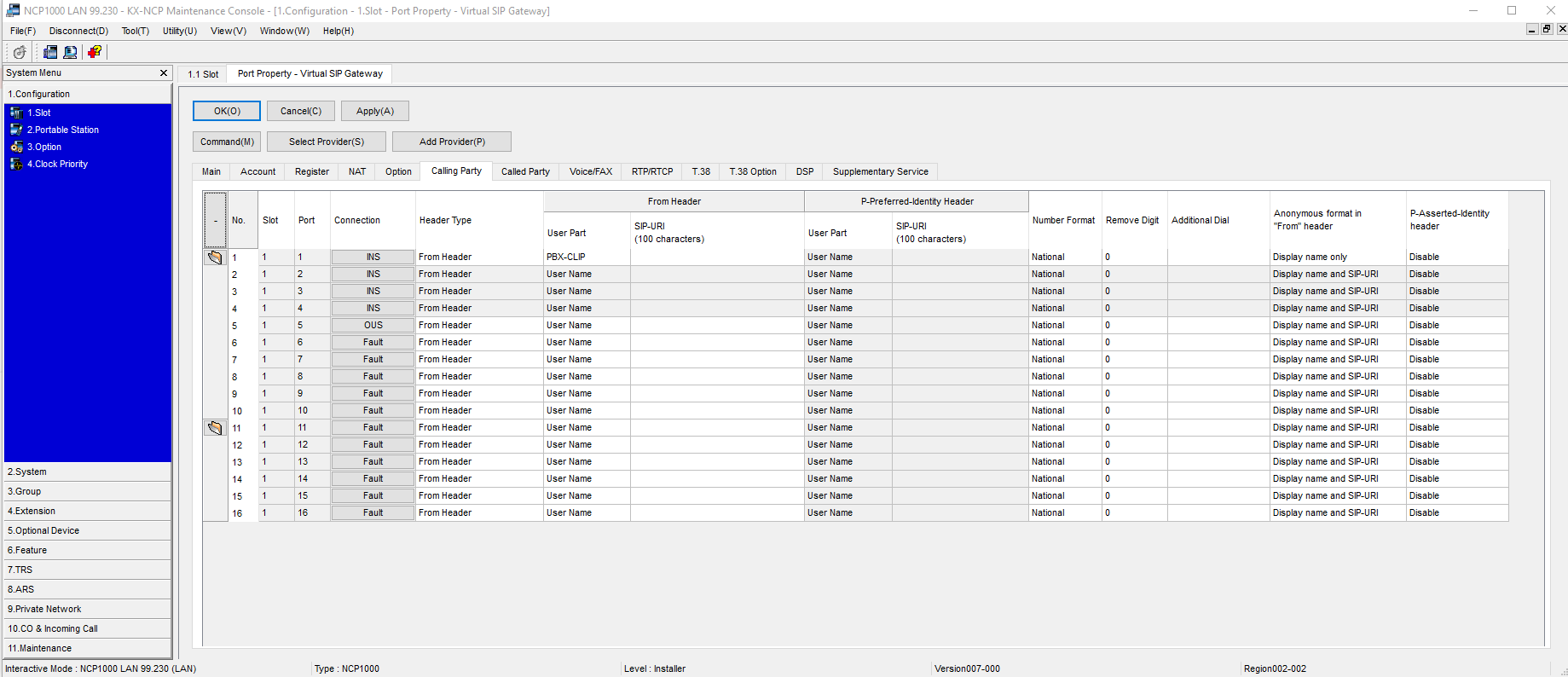
IF YOU USE << Authentication ID >> Instead of CLIP, as seen below, then you do not need to enter anything value in the > Extensions > CLIP ID as shown in next screen
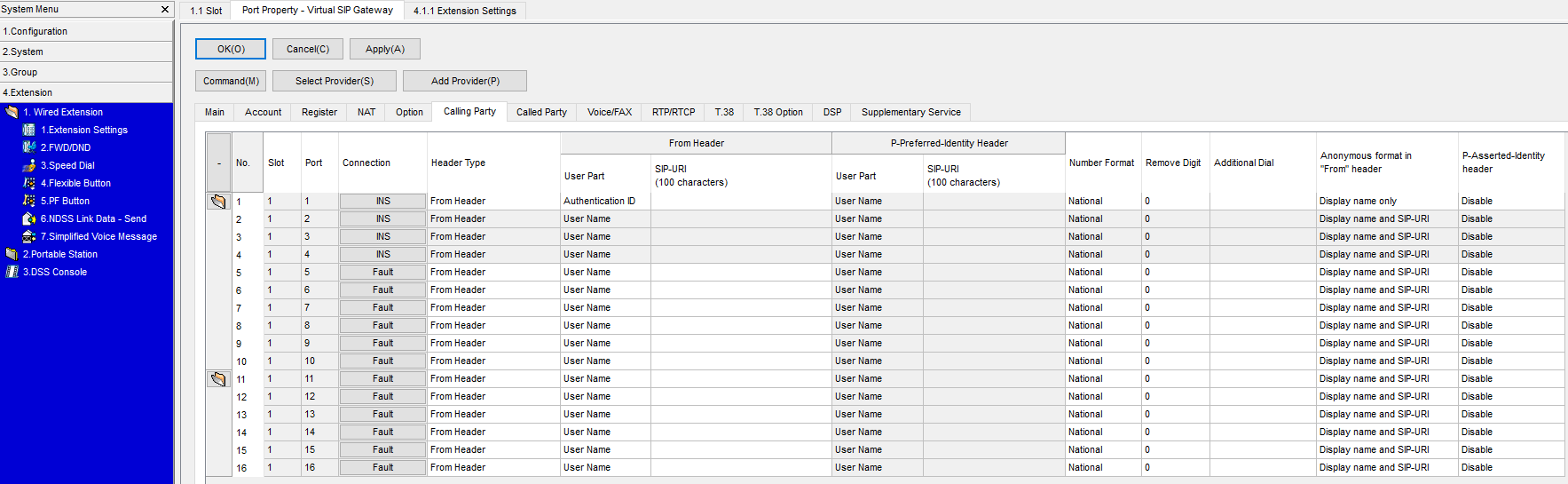
NO NEED FOR CLIP ID, if using the Above Calling Party User Part = Authentication ID.
So if you use the Authentication ID, then the PBX doesn't look to the CLIP ID in the Extension settings
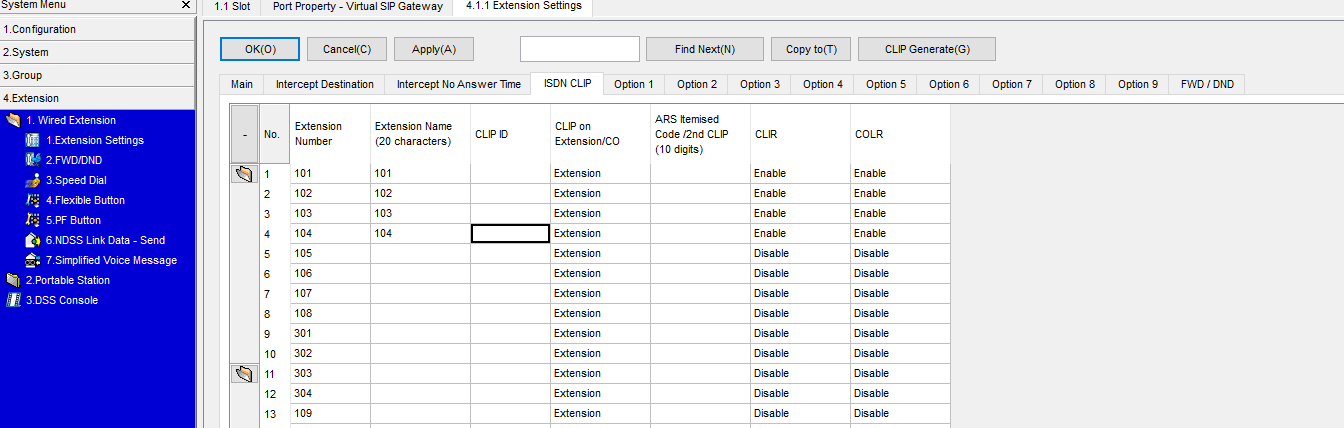
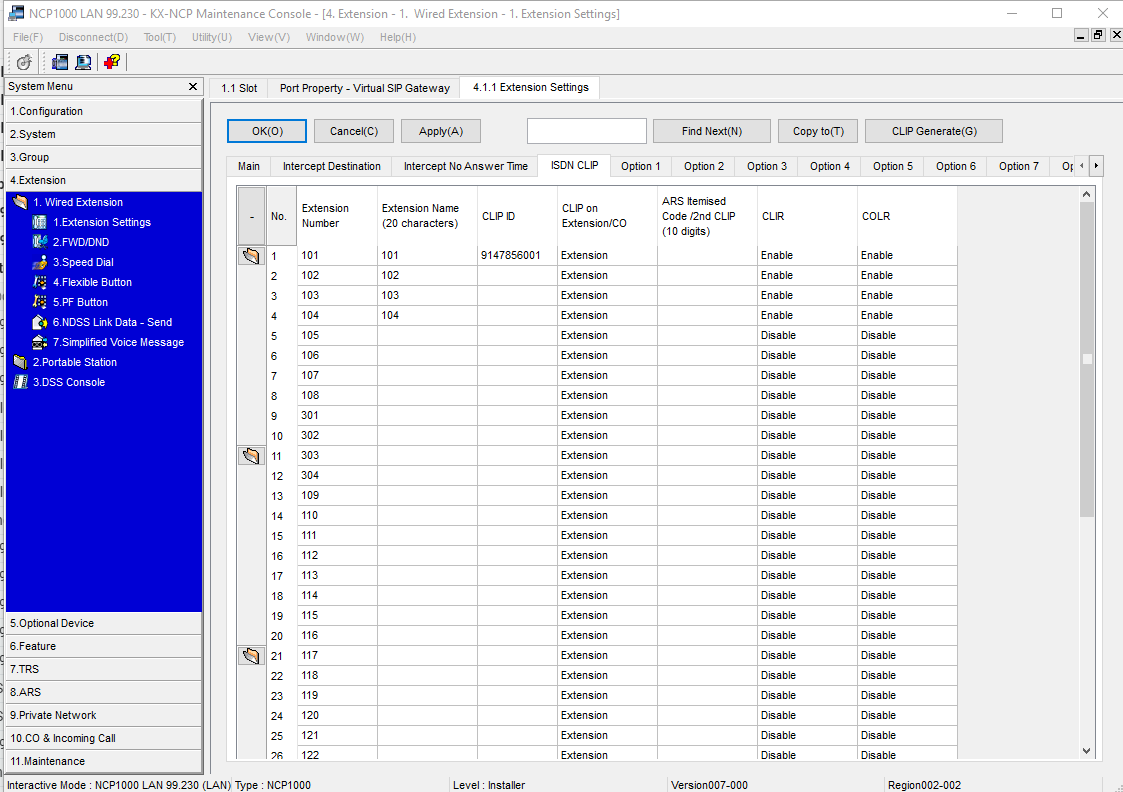
BUT >> IF you use the Calling Party = CLIP ID as seen in this slide, then it will look to that setting, AND IF IT's NOT THERE IT WILL FAIL THE SIP OUTBOUND!!!!
So you must enter the CLIP ID (DID) number is the next screen in order to have a proper SIP Header for Outbound Calls
Was this article helpful?
That’s Great!
Thank you for your feedback
Sorry! We couldn't be helpful
Thank you for your feedback
Feedback sent
We appreciate your effort and will try to fix the article