TO CHANGE VIA PORTAL THEN AUTO PROVISION
TEMPLATE CODE FOR VERSION 80 ( note this is different than for VERSION 73 below )
## To stop SIP Vicious Calls for ALL Accounts
sip.trust_ctrl = 1
##Enable or disable the phone to dial the IP address directly; 0-Disabled, 1-Enabled (default);
features.direct_ip_call_enable = 0
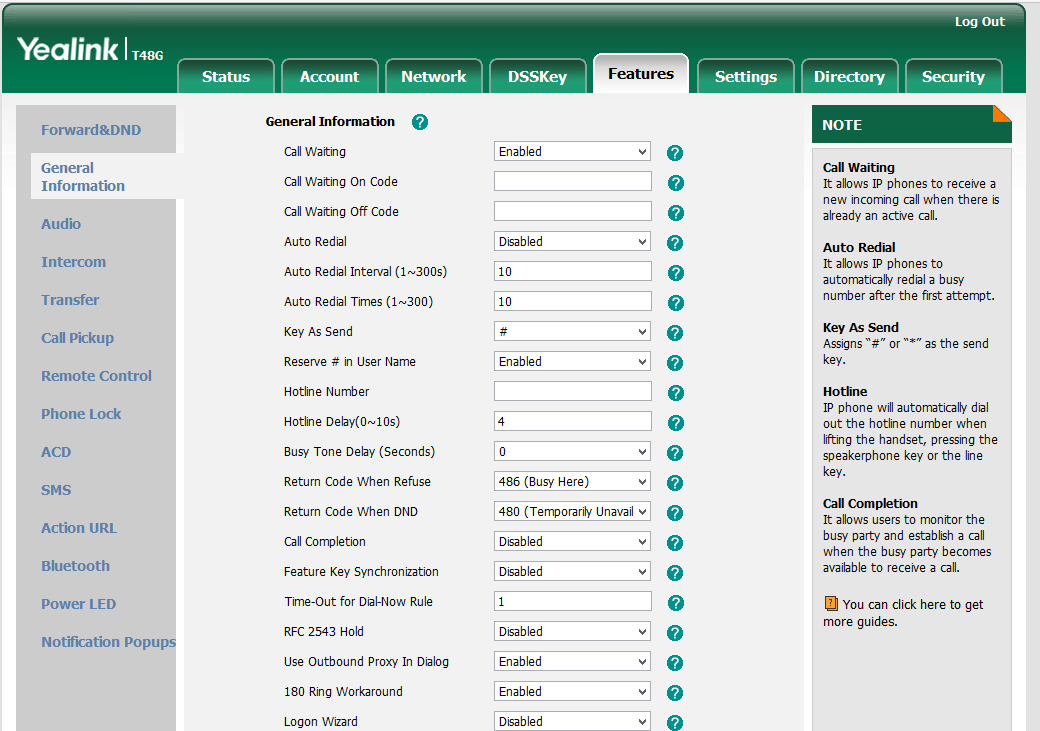
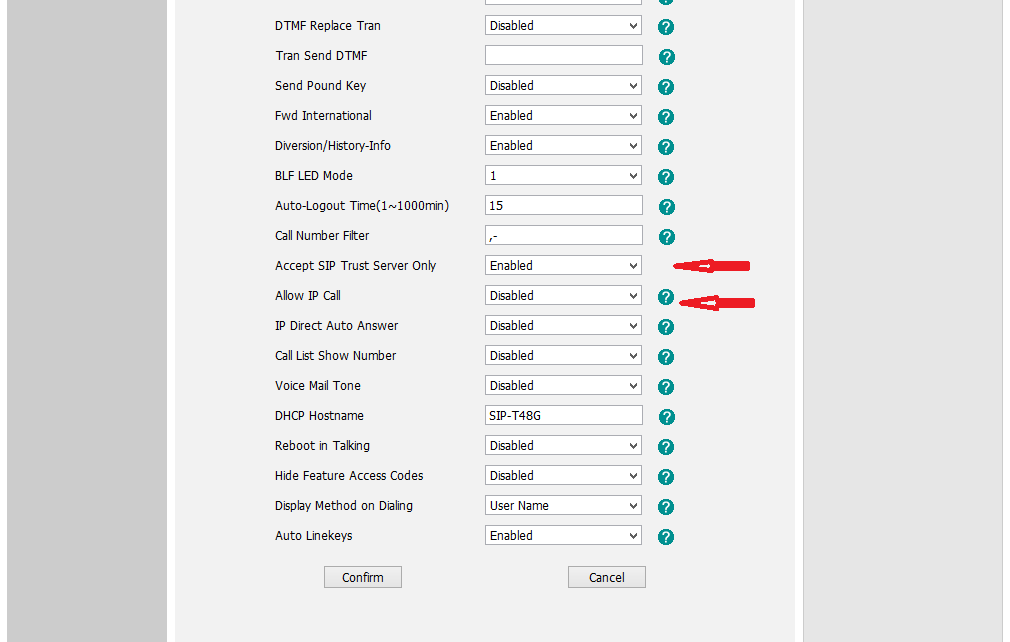
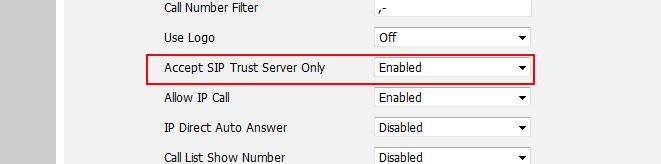
You will find these settings in the phones web interface under FEATURES > GENERAL INFORMATION
>>> See Setting for Allow IP Call = Disabled
>>> See setting for Accept SIP Trust Server Only = Enabled
TEMPLATE CODE FOR VERSION 73
## To stop SIP Vicious Calls Account 1 and Account 2 if dual accounts
##When you want to enable this sip trust control for account 1, fill 1 to “account.1.sip_trust_ctrl”.
## 0 = Off, 1 = On
account.1.sip_trust_ctrl = 1
account.2.sip_trust_ctrl = 1
##Enable or disable the phone to dial the IP address directly; 0-Disabled, 1-Enabled (default);
features.direct_ip_call_enable = 0
================================================================================
TO CHANGE THE SETTING AT THE PHONE WEB GUI
1.Upgrade the firmware to V73 or V80 version firstly. You can download rom file and corresponding files from our official website.
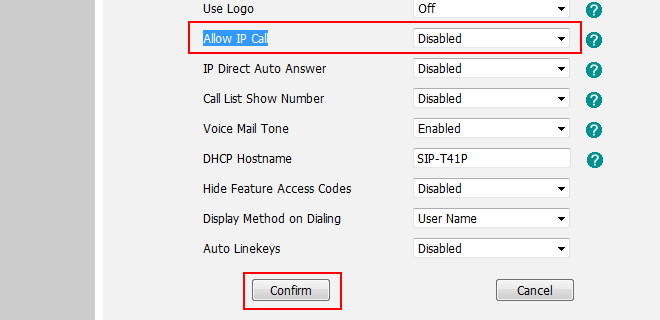
2.After upgrading, access to web GUI->Features-> General Information tab, set the allow IP call value to “disabled”. Click confirm button to accept the change.
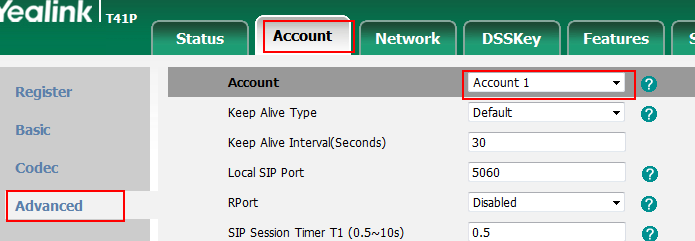
3.In V73 version: Access to web GUI->Account->Advanced tab, set the “Accept SIP Trust Server Only” value to “Enabled”. Click confirm button to accept the changes. One point need to be attentive, please enable the SIP Trust parameter of corresponding accounts.
you can also set these parameters via auto provision(W52P can only be configured through autoprovision):
#!version:1.0.0.1
##The x of the parameter "account.x.sip_trust_ctrl " ranges from 1 to max accounts. For example, x ranges from 1 to 2 of T20.
##When you want to enable this sip trust control for account 1, fill 1 to “account.1.sip_trust_ctrl”.
account.X.sip_trust_ctrl=1
##Enable or disable the phone to dial the IP address directly; 0-Disabled, 1-Enabled (default);
features.direct_ip_call_enable = 0
If there are any other questions, please feel free to contact with support@yealink.com.
Was this article helpful?
That’s Great!
Thank you for your feedback
Sorry! We couldn't be helpful
Thank you for your feedback
Feedback sent
We appreciate your effort and will try to fix the article