Linksys SPA8000
Setting up your Linksys SPA8000.
If possible reboot ATA to factory reset.
Resetting to factory Defaults.
- Connect an analog phone to a line port of the SPA8000.
- Access the IVR by pressing asterisk key four times. (i.e ****) You will hear a voice prompt. “Linksys configuration menu”
- Press the appropriate codes on the keypad of the analog phone to navigate the IVR.
- Press 73738 (R-E-S-E-T)# to perform a full reset of the unit to the factory default settings. The Admin account password will be reset to the default of blank.
- Press 877778# to reset the unit to the defaults as it shipped from the service provider. This code will reset the User account password to the default of blank.
- After the code is entered into the IVR; press 1 on the phone to confirm the operation, otherwise press * to cancel the operation. When 1 is pressed, you will hear "Option Successful". Hang up the phone and the SPA8000 phone adapter will reboot and all settings will be reset to their defaults.
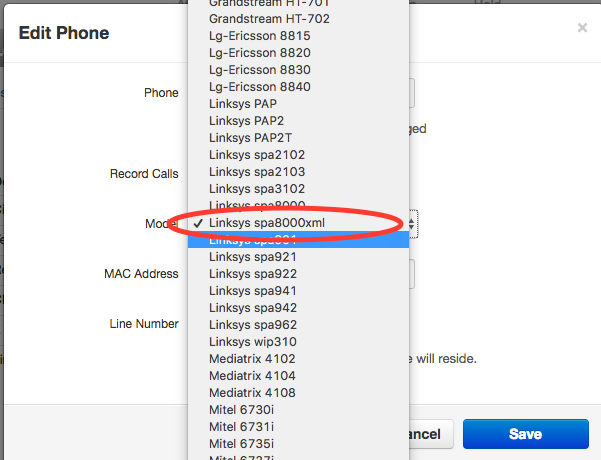
IMPORTANT >>> Make Sure to Select LINKSYS spa8000vml , Note: When creating a user on the portal you must use the “Linksys spa8000xml” as the device. It is advisable to create all necessary users that will have their dedicated lines. i.e. user 100 line 1. User 101 line 2. ( you can use the same mac-address of the spa8000 for each line you created. )
Find the IP of the SPA, here’s one way to find out with an analog phone connected to a line port. Dial ****, after voice prompt dial 110#.
Inside GUI:
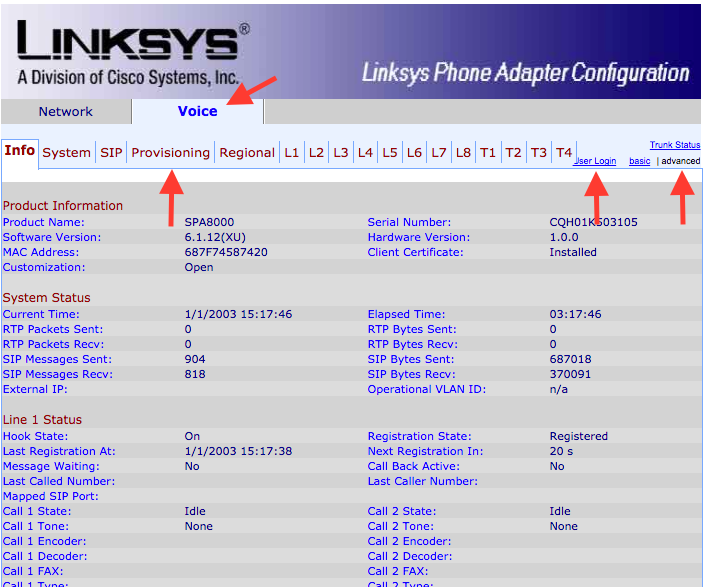
Navigate to Voice then login as Admin and click Advance to see the provisioning tab.
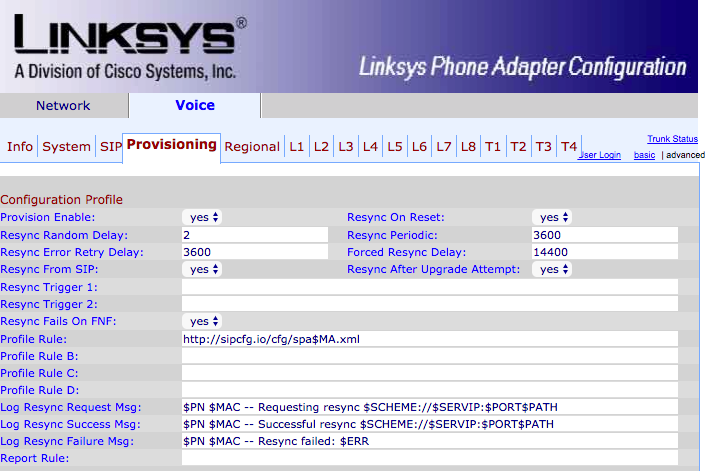
On Provisioning tab input the provisioning URL in the "Profile Rule" parameter http://ndp.skyswitch.com/cfg/spa$MA.cfg and click submit.
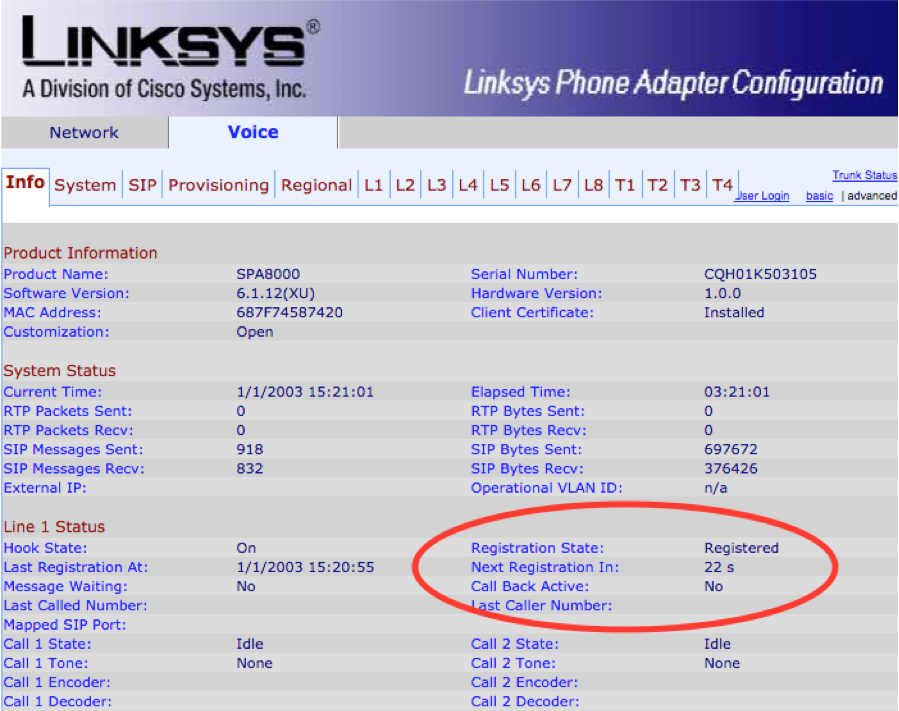
After submitting ensure that your lines are registered.
Useful overrides
Was this article helpful?
That’s Great!
Thank you for your feedback
Sorry! We couldn't be helpful
Thank you for your feedback
Feedback sent
We appreciate your effort and will try to fix the article