Cisco 8800 Series Broadsoft Provisioning Guide and User Manuals attached
1. Press the setup button on the device
2. Press the 9 key or down arrow to 9 (Network) and press the select soft key
3. Record the IP address under 2 (Current IP)
4. From a browser on the same LAN, enter the IP address recorded in step 3
Note:
● If prompted for a user and password, enter it now. Then click admin and enter the admin user and password.
5. Click the admin link in the top right of the page
6. Click the advanced link in the top right of the page
7. Click the “Voice” tab
8. Click the “System” tab
9. Set the "SPCP Auto detect" drop down to No.
10. Click the “Provisioning” tab
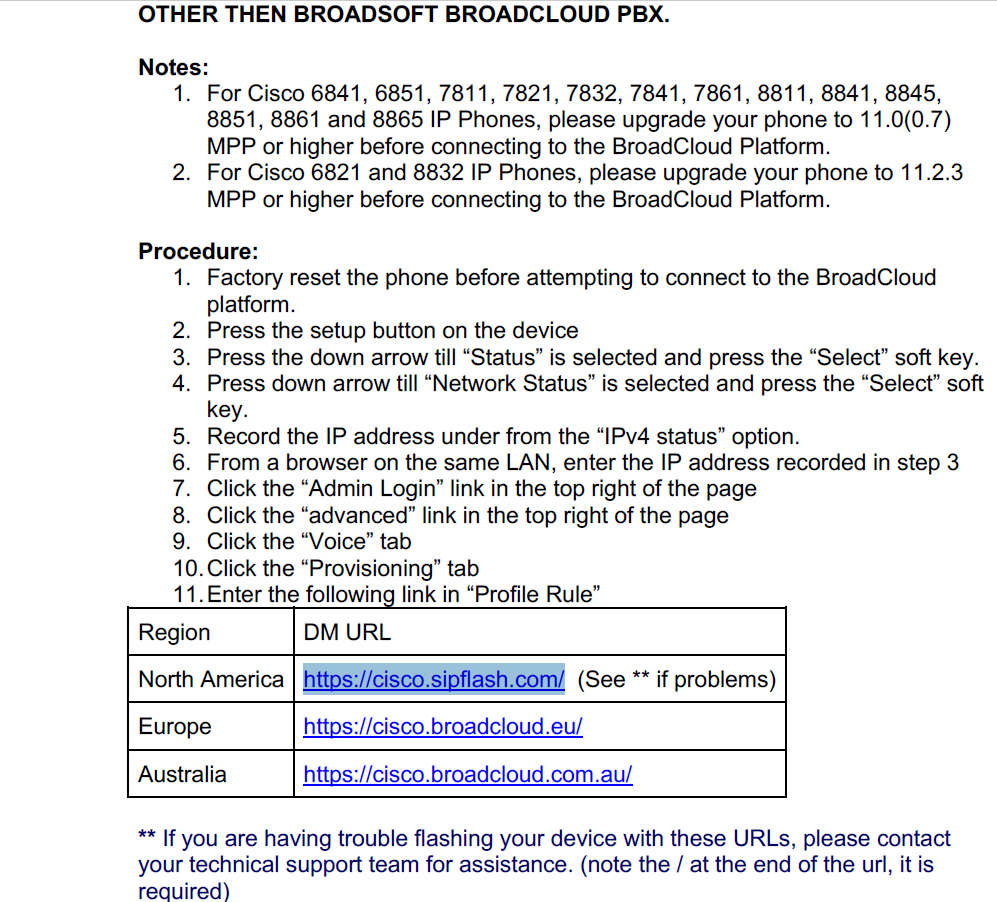
11. Enter the following link in “Profile Rule”
North America: MPP Phones verified 3/1/2019
https://cisco.sipflash.com/
North America: SPA Phones
https://spa.sipflash.com /
Was this article helpful?
That’s Great!
Thank you for your feedback
Sorry! We couldn't be helpful
Thank you for your feedback
Feedback sent
We appreciate your effort and will try to fix the article