Yealink WF40 WiFI USB Dongle for T41S, T42S, T46S & T48S Phones
To setup Wifi
Press Menu > Press Basic > Press WiFi
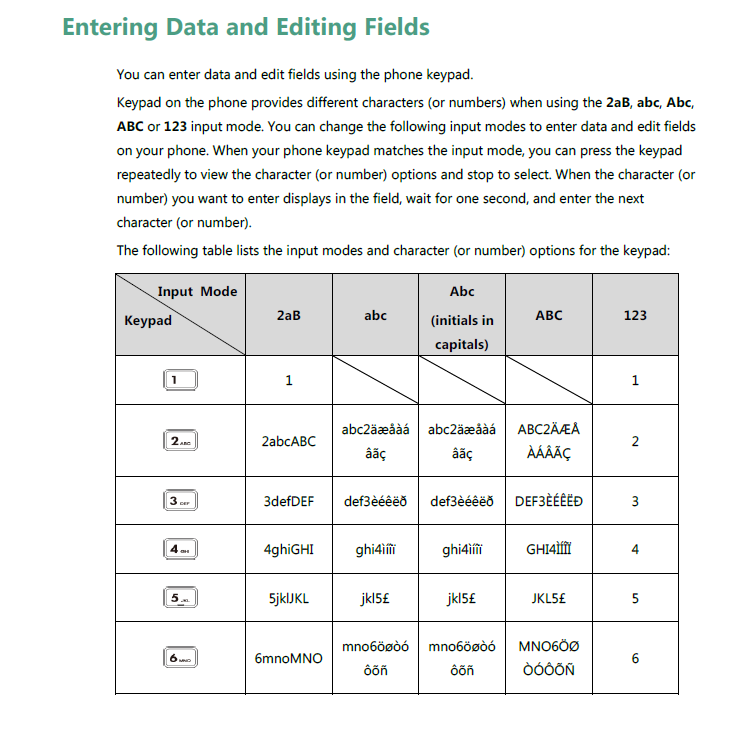
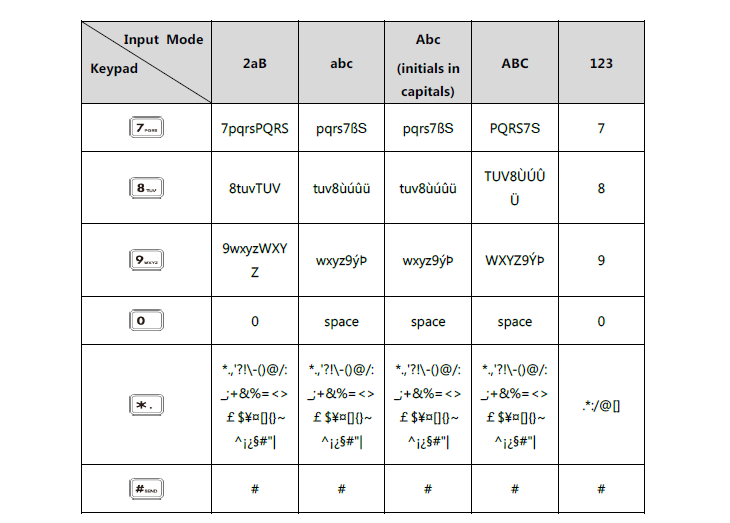
Scan for Networks > Select your SSID > Enter Password using keyboard definitions below. ( SEE using the star key for special characters such as - @ / . , etc. )
Was this article helpful?
That’s Great!
Thank you for your feedback
Sorry! We couldn't be helpful
Thank you for your feedback
Feedback sent
We appreciate your effort and will try to fix the article