SPA303, SPA50XG, SPA51XG, and SPA525G2 Provisioning Document
SPA303, SPA50XG and SPA51XG Provisioning
1) Power up IP Phone
2) Press the Menu key (below the envelope button) then press option 9 to obtain IP address of the phone.
*******Must be using DHCP. Also you need to be on the same network as the phone.
3) Type http://SPA_IP_Address/admin/advanced into your web browser
4) Click on the “Provisioning” tab, and set the “Profile Rule” field to:
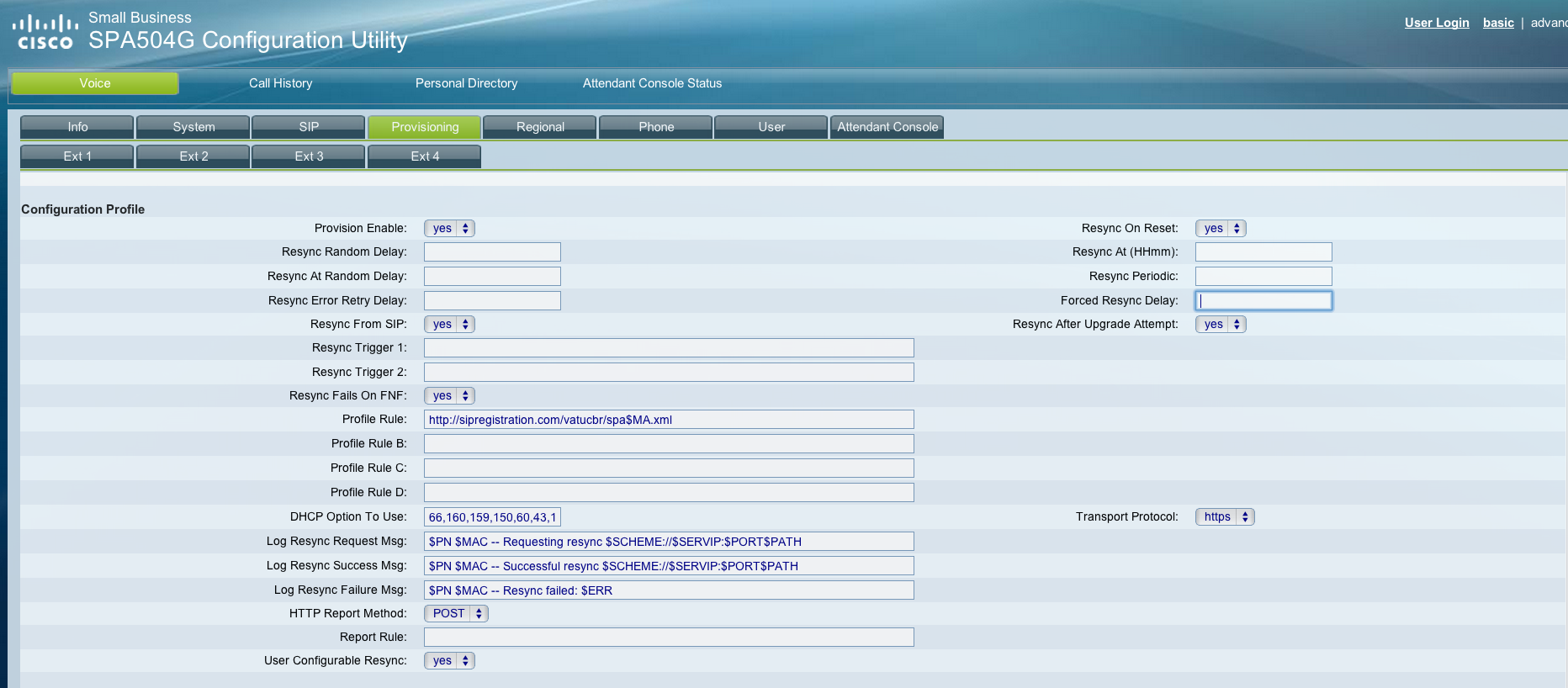
5) Click the “Submit All Changes” button at the bottom of the page. Your phone will restart.
6) After the phone restarts press the Menu key then press option 12 to reboot IP Phone
7) At this point the Phone will provision according to your portal set up.
SPA525G2 Provisioning
1) Power up IP Phone
2) Press the Menu key (below the envelope button) then press option 10, then option 2 to obtain IP address of the phone.
********Must be using DHCP. Also you need to be on the same network as the phone.
3) Type http://SPA_IP_Address/admin/advanced into your web browser
4) Click on the “Provisioning” tab, and set the “Profile Rule” field to:
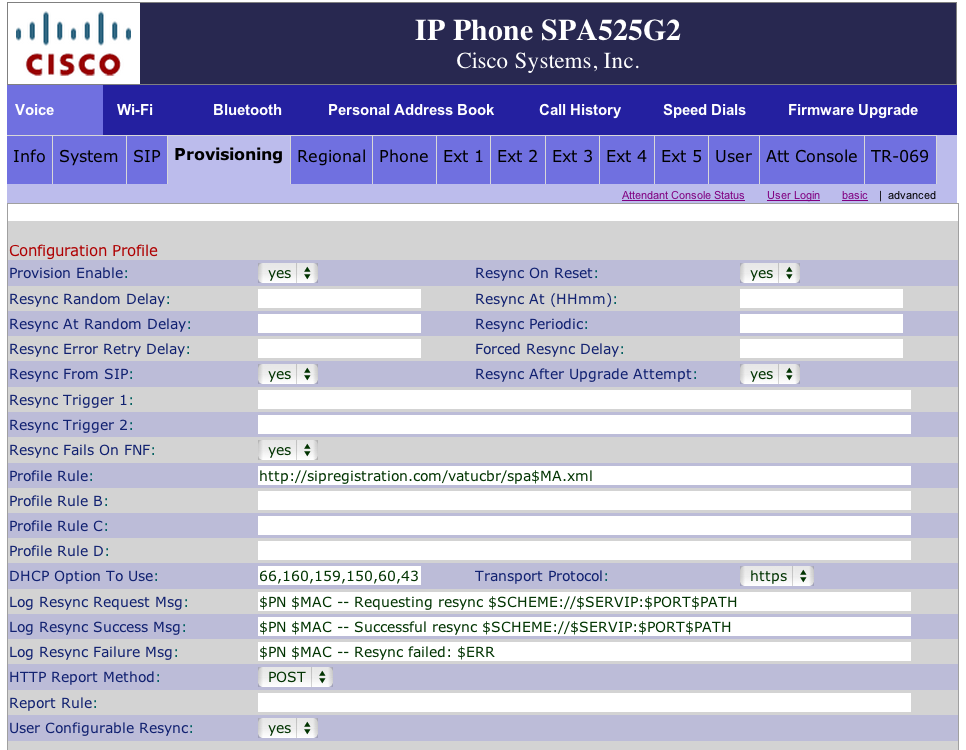
5) Click the “Submit All Changes” button at the bottom of the page. Your phone will restart.
6) After the phone restarts press the Menu key then press option 9 then option 4 (Restart) to reset IP Phone
7) At this point the Phone will provision according to your portal set up.
To Factory Default SPA50X and SPA51X
- Press the Menu key then select option 14
To Factory Default SPA525G2
- Press the Menu key then select option 9 then option 5
Paging
1) Paging is turned on for all SPA IP Phones.
2) To use paging dial 800#
3) Multicast Address is: 224.168.168.168:34560 by default
One to One Intercom
1) To use this feature it is custom dial plan that Cloud9Phone needs to add specifically to your PBX context.
2) To Intercom dial *77 plus the extension you want to Intercom.
To REBOOT CISCO PHONE
http://ipaddressofphone/admin/reboot
Was this article helpful?
That’s Great!
Thank you for your feedback
Sorry! We couldn't be helpful
Thank you for your feedback
Feedback sent
We appreciate your effort and will try to fix the article