Yealink T5xW Upgrade V86 to V87 Troubleshooting 5/2/2025 SR

Modified on Sat, May 3, 2025 at 8:42 AM


Shared Firmware Folder 5/2/2025

https://drive.google.com/drive/folders/1VR9Wb26vYU7yXtBwZ6Uv9rQtd9M8ZHrU?usp=sharing


Troubleshooting Firmware Upgrade: V86 to V87
Last Update Time:2025-04-01
Pageviews:1266
Issue Description

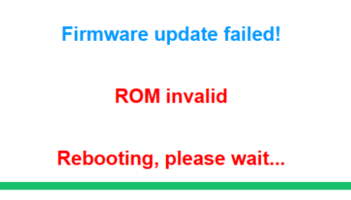
When I upgrade V86 firmware to V87, there is an error like "Rom Invalid" and the upgrade fails.

Conclusion

The older V86 firmware has a different firmware verification process when using the WebUI to upgrade, which causes this issue when directly upgrading to V87 via WebUI.

To solve this

This problem does not exist when using the Auto Provision method to upgrade V86 to V87. So you can try using Auto Provision to upgrade firmware.
If you need to upgrade via the web user interface, please try to upgrade to the interim firmware below first:

After that, you would be able to upgrade to V87 via the web user interface.
For further support, please submit ticket at ticket.yealink.com.

Did this article solve your problem?
   YES
   NO

Was this article helpful?

That’s Great!

Thank you for your feedback

Sorry! We couldn't be helpful

Thank you for your feedback

Let us know how can we improve this article!

Select at least one of the reasons
CAPTCHA verification is required.

Feedback sent

We appreciate your effort and will try to fix the article