See below to manually assign different SIP PORTS other than 5060
Obi Dropping Calls Intermittently
Issue SIP Port conflict with another device on the same network
This issue was that another SIP device (most like the Obi300 for the CD Fax) was intermittently using the same SIP port as the Obi508vs unit and would cause a delay in the response to the SIP messages, which the distant end after not getting a reply in a few seconds would drop the call.
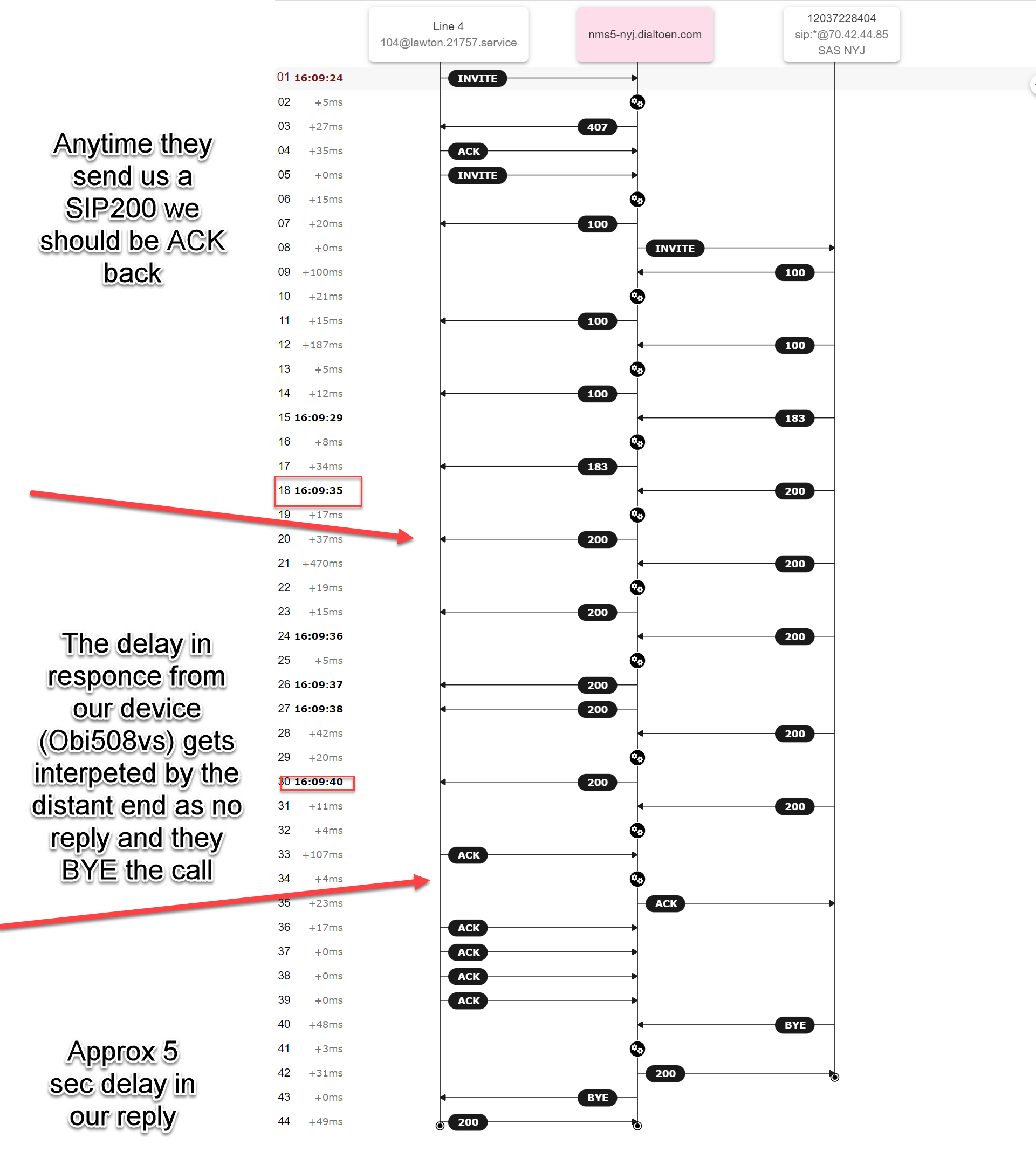
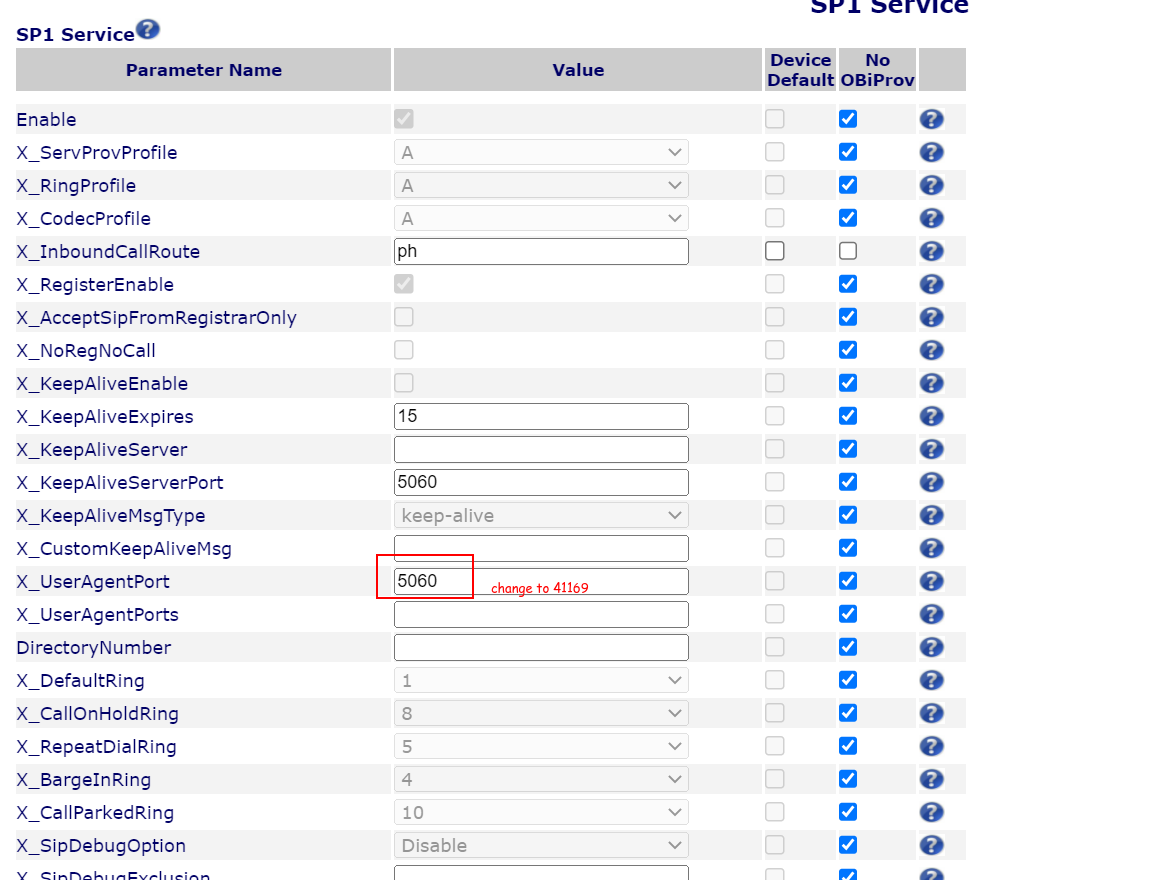
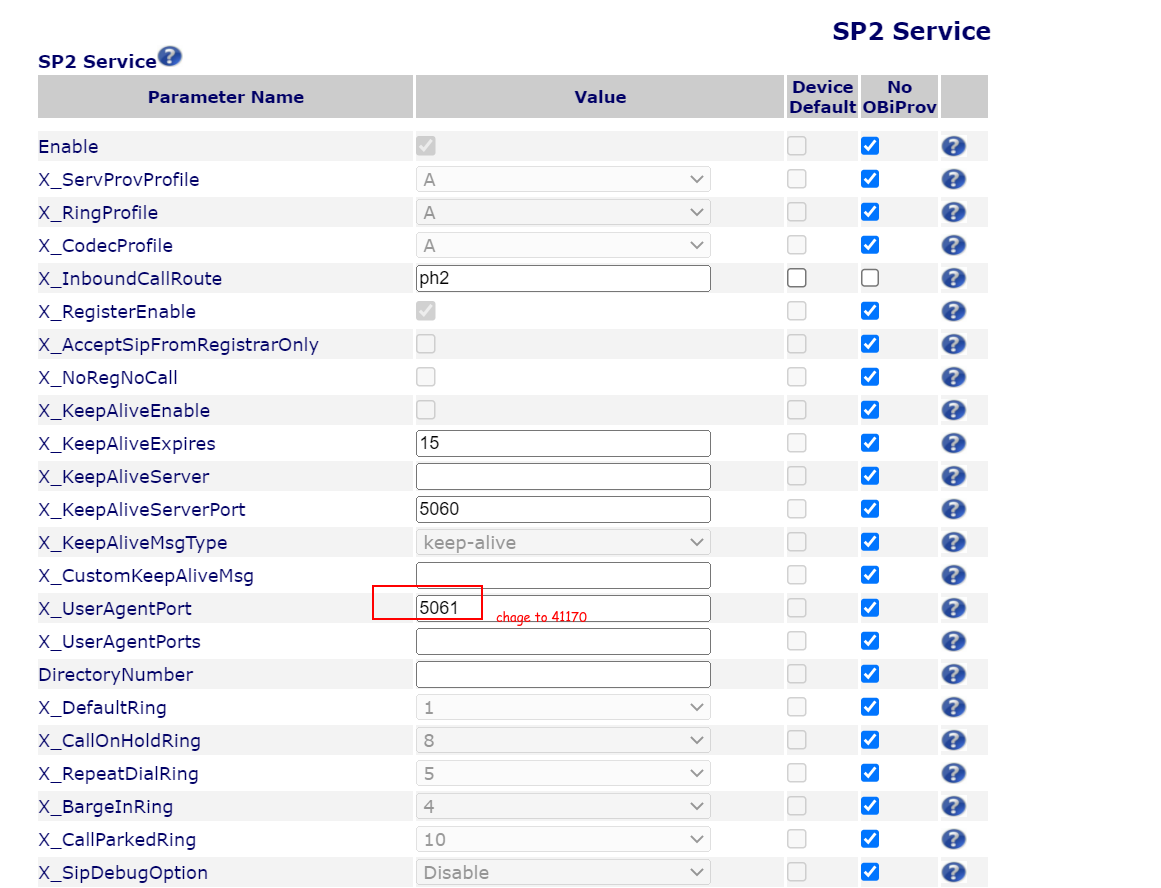
We change the SIP AGENT Ports on the Oni508vs as per the screenshot below.
Now, I have seen this before in other tickets and the delay normally happens because of other devices using the same source port which causes NAT issues on the firewall and consequently the delay you are experiencing on the packets. I can see your Obihai is using the default SIP port 5060 and most likely another device on the network will have the same port. This might not be your issue but let's give it a try.
So, the solution will be to use a random port, something like 41169.
So, according to the image you sent you will need to set the port-1 to 41169, port 2 to 41170, port-3 to 41171, and so on on the device.
So, the solution will be to use a random port, something like 41169.
So, according to the image you sent you will need to set the port-1 to 41169, port 2 to 41170, port-3 to 41171, and so on on the device.
Was this article helpful?
That’s Great!
Thank you for your feedback
Sorry! We couldn't be helpful
Thank you for your feedback
Feedback sent
We appreciate your effort and will try to fix the article