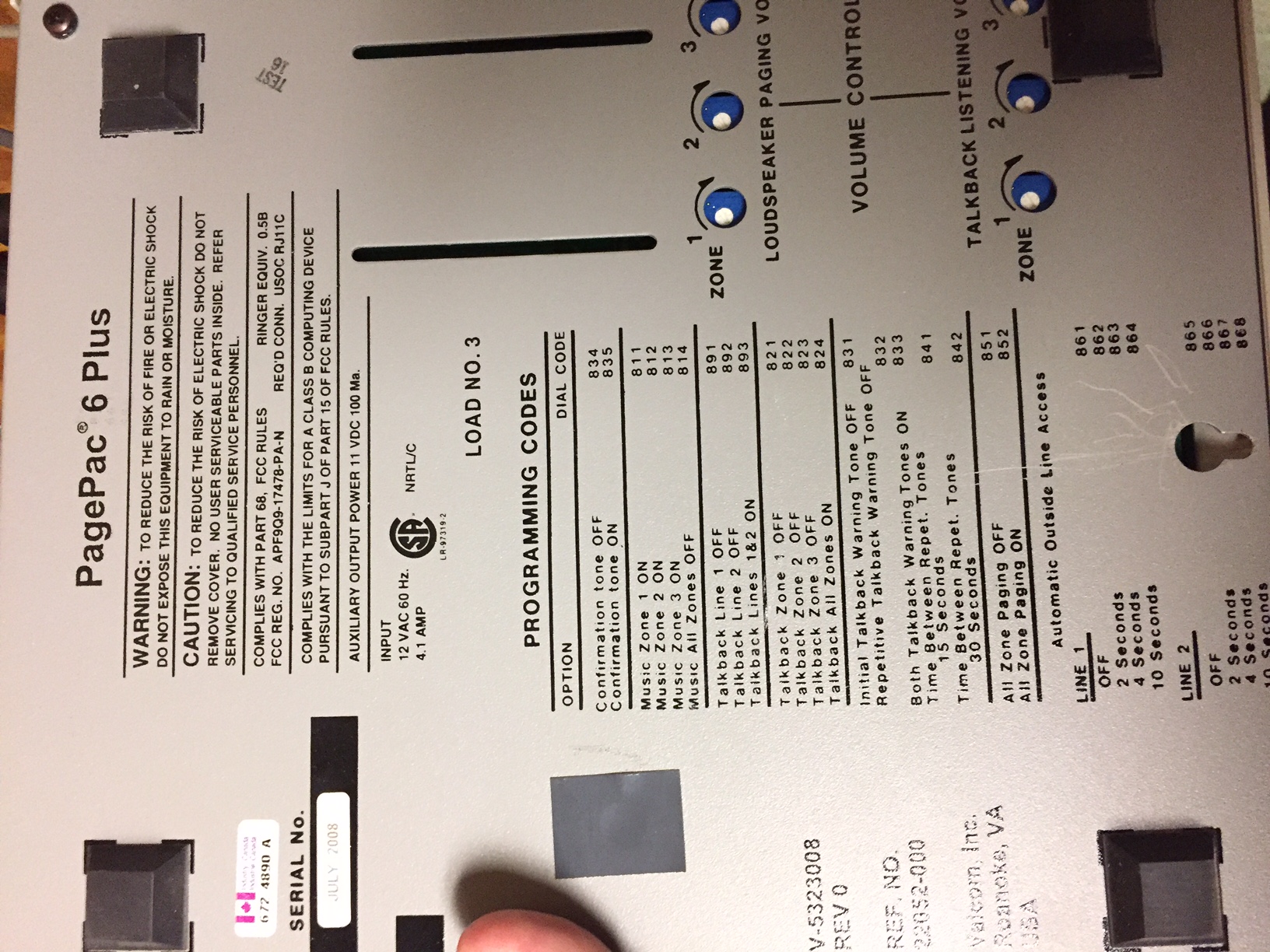
The easiest way to connect is to use a ATA FXO Port to the PHONE Port on the Pagepac, as this will emulate an SLT pulling dialtone from the Pagepac as per Valcom the original manufacturer of the Pagepac
Obi312 (1) FXO & (1) FXS port
As per JR & SR Refurbco
For all manuals
http://telecomuserguides.com/manuals/filesupload/Valcom/html/PagePac.html
(DL) Dry Loop
Interfaces with the Page Port of a PBX or Key System or an Auxiliary port of a PBX.
This input shall respond to resistances from 0 to 1K Ohms and will ignore resistance greater than 10K Ohms.
Use a four-wire RJ11 cable in this mode. Dry Loop is a four wire connection.
Pins 2 and 5 of the RJ11 are intended to interface with the control leads ( twist these together / orange pair ) of the host system, while pins 3 and 4 ( connect to audio, blue pair ) connect to Tip and Ring, as usual.
================
================
For DTS see below to Turn On Background Music for the Zones
Using the <<old school TRIMLINE phone attached >> to the PagePac system pickup and DIAL 812 hear double beep to confirm.
Paging will now work.
WHY??
Because the SNOM Paging system is connected to the PagePac into the Music on Hold input. When the Pagepac has power outage, if defaults to music-on-Hold = OFF.
So dial 812 Turns ON Music-on-Hold.
SR

Was this article helpful?
That’s Great!
Thank you for your feedback
Sorry! We couldn't be helpful
Thank you for your feedback
Feedback sent
We appreciate your effort and will try to fix the article